How to Ask Customers for Google Reviews Without Pressure
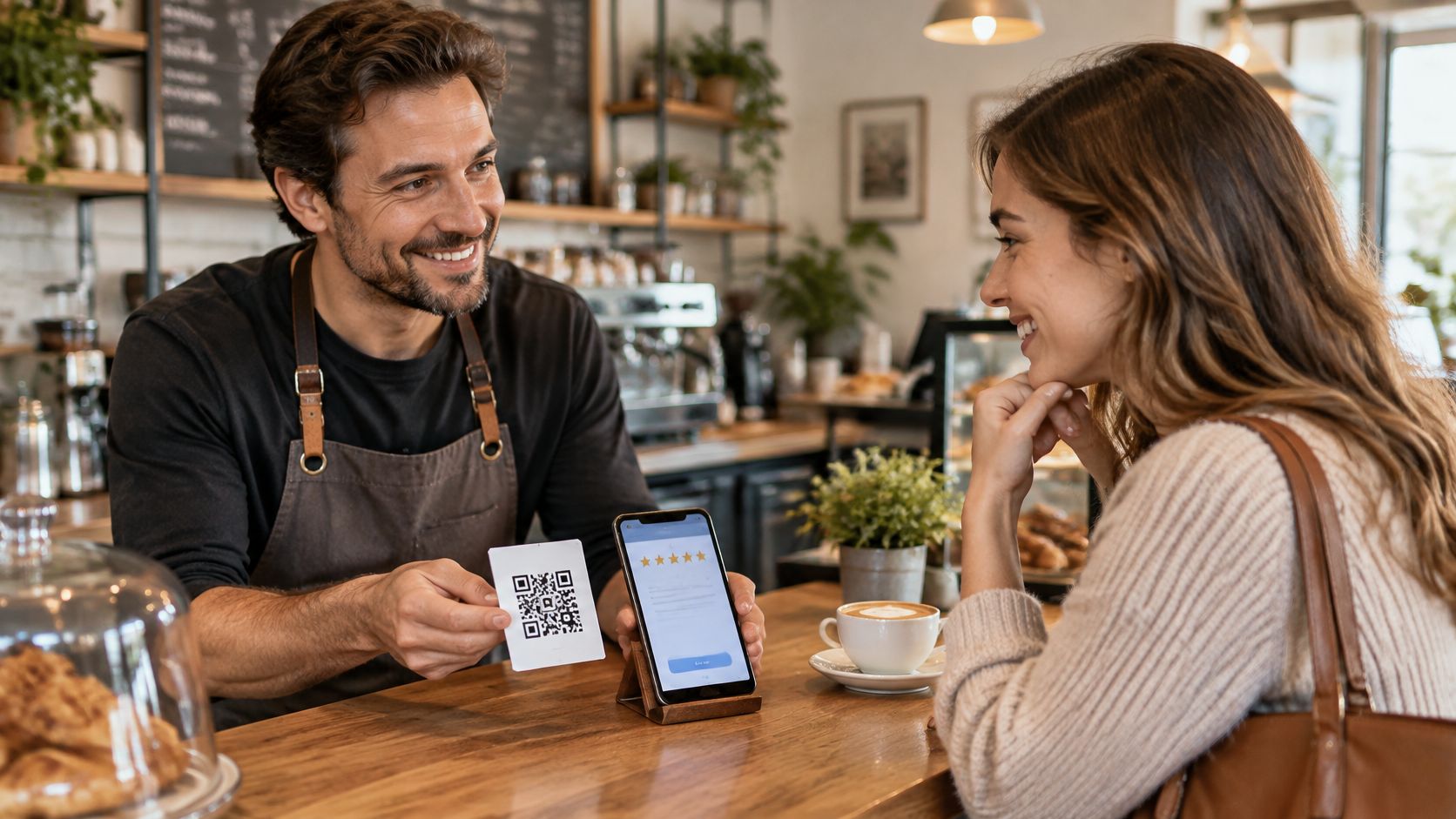
A guest hands back a bike, pays a restaurant bill, or leaves a holiday home happy, then walks away without leaving a review. The visit went well. The chance to ask lasted about a minute. Most owners know that moment well, because the counter gets busy, the next guest is waiting, and asking for praise feels awkward.
The fix isn't a louder ask. It's a short, neutral request at the right moment, with one direct link and no pressure. That's how to ask customers for Google reviews in a way that fits a busy day and stays fair to every guest.
Five Steps to Ask for a Google Review
A simple routine works better than a clever script. The owner needs the same five steps at every return, bill, tour end, and checkout. Each step is small. Together, they remove the awkward pause and the extra work for the guest.
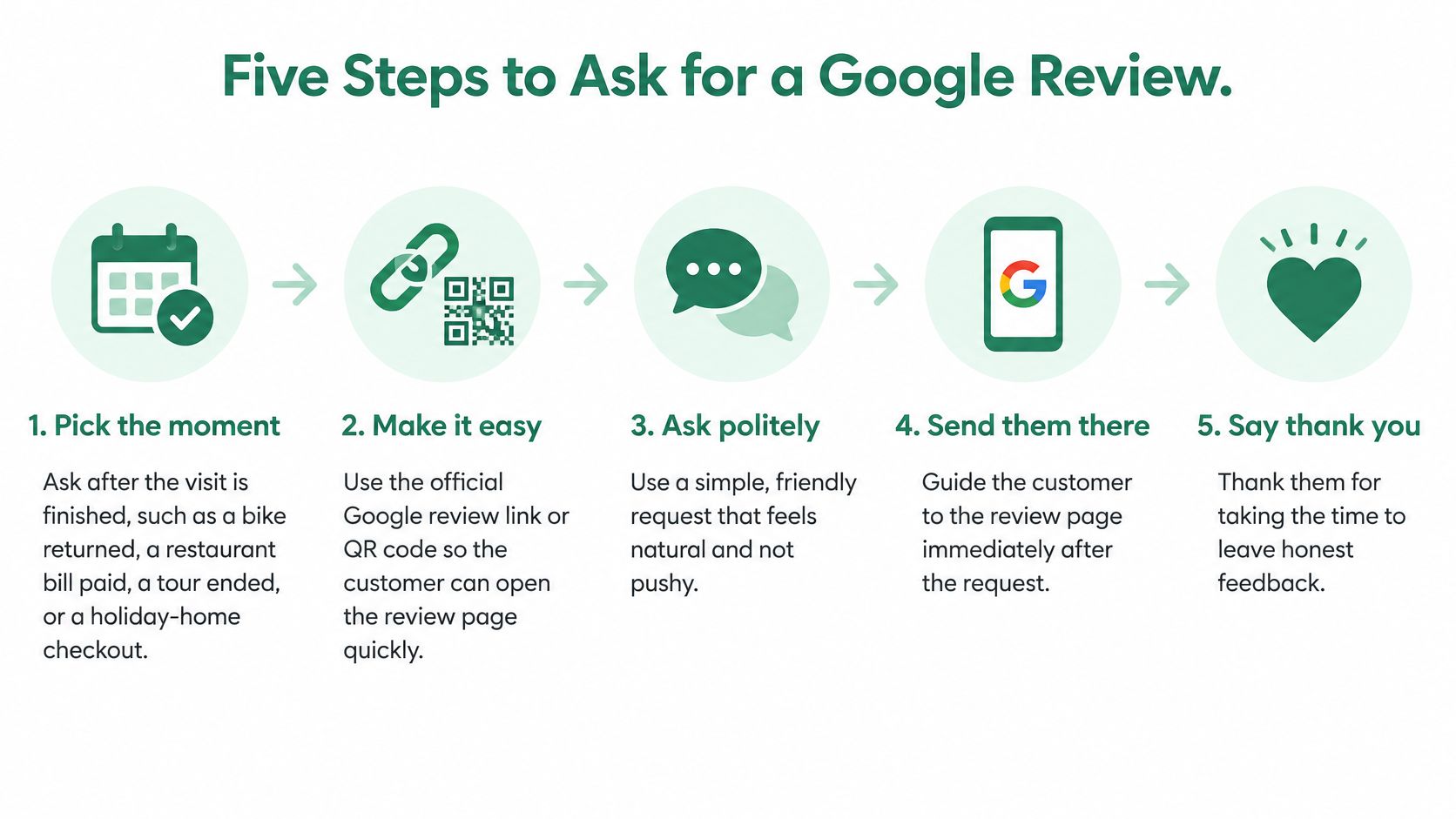
The five steps in order
- Pick the finished moment. Ask after the bike is returned and checked, the bill is paid, the tour has ended, or the guest has checked out. The visit is complete, so the guest can judge the full experience. Asking too early feels pushy, and asking days later lets the details fade.
- Say thank you first. Keep it plain, with no mention of stars, rewards, or staff names. A short thanks closes the service well. It also keeps the request separate from any hint about what the guest should write.
- Show one direct link or QR code. Put it where the guest already stands, on the receipt, the return counter card, or the checkout folder. Most requests fail here because a guest who must search for the business usually gives up. One scan or tap should open the review form.
- Invite honest feedback in the guest's language. Say that criticism is fine and the rating is the guest's choice. That one line lowers pressure for guests who liked most of the visit but not all of it. It also leads to reviews future guests can trust.
- Send at most one reminder. Wait a few days, then send one gentle note only if contact details were shared for that purpose. More messages turn a small favor into a chore. Log the reminder so staff don't send a second one by mistake.
Why asking changes the result
Prompting matters more than owners often expect. In 2024, 19% of consumers said they always left a review when prompted, up from 12% in 2023, in BrightLocal's 2024 Local Consumer Review Survey of 1,141 U.S. consumers. A passive sign asks nothing. A clear request gives the guest a reason to act now.
Counter checklist: Visit finished, thanks given, link shown, honest feedback invited, one reminder logged.
Print that checklist and tape it near the till or return desk. Staff don't need to memorize a speech. They just follow the order, say the request once, and move on to the next guest.
When to Ask Each Type of Customer
| Business | Best moment to ask | Channel | Reminder timing |
|---|---|---|---|
| Bike or boat rental | When the equipment is returned and checked | Counter card QR | Two days later, if contact details are available |
| Tour or activity | At the end, before guests leave the meeting point | Email or WhatsApp | Two days later |
| Restaurant or café | When the bill is paid | Receipt card QR | Only if an email address is held |
| Holiday home or B&B | At checkout, in the welcome folder | Email after departure | Three days after departure |
| Hotel | At checkout or in the post-stay email | Three days after checkout | |
| Salon or spa | After the appointment, on the receipt | Receipt QR card | Three days later, if contact is allowed |
| Retail shop | At the till with the receipt | Receipt QR card | Not needed |
Why the channel changes by business
The restaurant row surprises many owners. Staff often want to ask while clearing plates, but the meal isn't finished and the guest is still with friends or family. The paid bill is cleaner. The guest has the receipt in hand, the visit is complete, and a QR card needs no extra chat.
Email suits stays and tours because the guest may need time to get home first. In BrightLocal's 2025 Local Consumer Review Survey, based on a representative panel of 1,026 U.S. adults, 40% of respondents were most likely to leave a review when asked by email. The same survey found that 29% of consumers had written a business review during the previous year. Those figures point to a plain lesson. A direct follow-up beats hoping guests remember later.
Rentals and shops work the other way. The guest is already at the counter holding a key, helmet, or receipt, so a card in that spot catches the moment before the door closes. Good timing also supports better customer service reviews, because guests can mention fresh details instead of vague praise.
A two-week channel test
Track each channel for two weeks with a simple tally by the till. Count scans, emails sent, and reviews that appear. Keep the channel that brings the most reviews from guests served, and drop the one that adds work without results.
Policy-Safe Rules and Wording for Every Channel
Rules come before wording. A friendly sentence can't fix a request that breaks Google policy. Owners should treat the rules as part of daily service, like handing back the right key or charging the right price.
Do this, avoid that
- Ask every eligible guest the same way. Don't pick only smiling guests, and don't steer unhappy guests away from Google while sending happy ones there.
- Ask for honest feedback. Don't request five stars, specific wording, or a staff name.
- Keep the request optional and private. Don't pressure a guest to post at the counter before leaving.
- Keep rewards out of it. Don't offer a discount, free drink, gift, or payment for a review, a changed review, or a removed review.
Those limits match Google's contribution policy guidance, which prohibits incentives and selectively soliciting only positive reviews. Google can remove incentivized or manipulated content and restrict eligibility for new reviews. Tripadvisor adds a clear contact rule. Requests go only to real guests who gave permission, never to staff, friends, or family.
Asking guests for a review is allowed, and HolaQR sends every guest to the same review window. The page is available in 30 languages, which helps when staff can't translate the request on the spot. Each page also has a WhatsApp button that sends questions and bookings straight to the business, with no commission to a booking platform, so private questions stay separate from public reviews.
Neutral wording by channel
| Channel | Example wording | Keep it neutral by |
|---|---|---|
| In person at the counter | Thanks for coming in. If a moment is free, honest feedback on Google would help. | Saying it once, then moving on |
| Receipt or card | Thank you for dining with us. Share an honest experience on Google: [review link] | Leaving off any star rating or reward |
| Email after checkout | Thanks for staying. An honest review on Google would help this small business: [review link] | Sending only to guests who shared an address |
| WhatsApp after a tour | Thanks for joining today. An honest experience can be shared here: [review link] | Using only with the guest's permission |
Read each line out loud in the guest's language. Delete any word that sounds like an order or a hint about stars. Then apply one final check. The request should still feel fair if the guest had a poor visit and plans to say so.
Print a Google QR Code at the Counter
A working code can sit on the counter today, and two free routes lead there. Google's own route is official and takes minutes. A HolaQR review page suits owners who serve guests in several languages or collect reviews on more than one site.
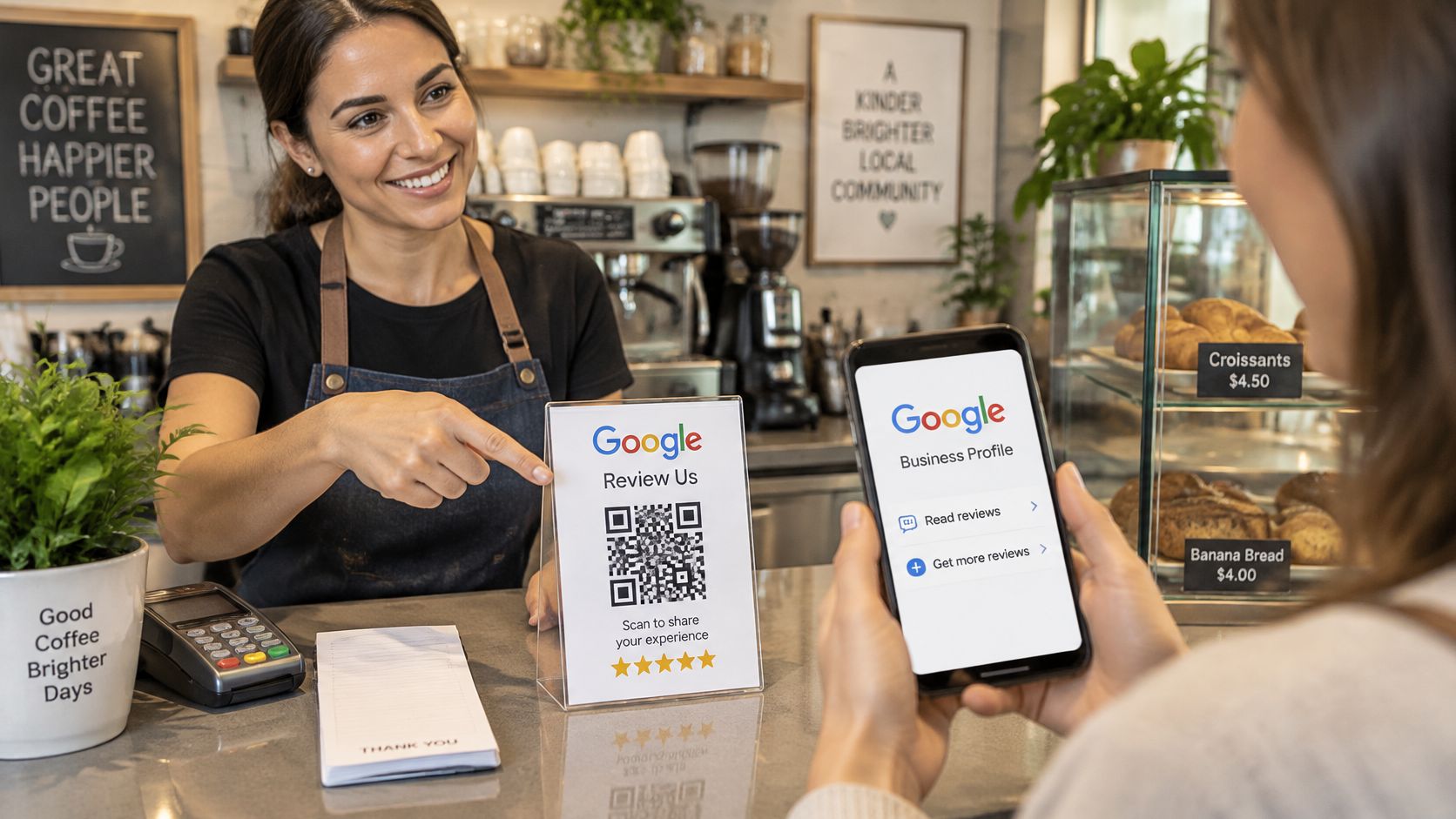
Get the official Google link
The steps in Google Business Profile help on getting more reviews are short. Open the Business Profile, select "Read reviews", choose "Get more reviews", then copy the link or download the QR code. Print it on receipts, counter cards, or booking confirmations so guests reach the form without searching for the business on a map.
Compare the two options fairly
| Option | Cost | Language | Review buttons | Code lifetime |
|---|---|---|---|---|
| Google's own review link or QR code | Free | Google review form | Google only | Tied to the Business Profile |
| HolaQR review page | Free | Shown in each guest's language | Direct review buttons | Never expires |
Google's route is simpler when only Google matters. A QR code for Google reviews through HolaQR earns its counter space when guests speak different languages or when TripAdvisor and Facebook reviews count too. One tap on a review button opens the review window itself, skipping the profile page, and guests sign in the same way they would for any review.
The business logo and name sit at the top of the page so guests know they are in the right place. Scanning uses the phone camera and the page opens in the browser, with no app or account needed. Links on the page can be updated after printing, so a printed sticker stays useful when a menu or destination changes. Print-ready sticker, flyer and table card files come with the page.
Test any code on a staff phone before printing. It should open fast and land in the right place. An owner can start today by letting guests scan the QR code on the phone screen, with nothing to print first. Once the spot works, print the card for the handover counter, receipt tray, table, or welcome folder, and keep it clear of payment and safety checks.
Why Review Requests Stall and How to Fix Them
| Symptom | Likely cause | Fix |
|---|---|---|
| Scans happen but few reviews follow | The link lands on a page that needs searching or logging in | Use the direct review link and test it on a phone |
| Guests say they forgot | The request came hours or days after the visit | Move the QR card to the handover, receipt or checkout |
| Few replies to email | Unclear subject or the email lands in spam | Send from a named business address with a short subject |
| Nobody scans the code | The code sits where guests never look | Place it at the counter, on the equipment or on the receipt |
| Reviews come only from regulars | Only known or happy customers are asked | Ask every eligible guest in the same way |
| Replies drop after the second message | Too many reminders | Keep to one reminder only |
Fix one thing, then watch
Change one item at a time for two weeks. Move the card, shorten the email subject, or shift the ask to the return desk, but don't change all three at once. Track sends, scans, completed reviews, and opt-outs by channel. A tagged link can help separate counter scans from email clicks, which is useful when weighing Linktree alternatives built for social bios rather than a busy counter.
A two-stage sequence keeps follow-up polite. Ask shortly after the visit ends, then send one neutral reminder several days later to guests who haven't replied. Never place the Google link behind a private satisfaction screen that sorts guests first.
Timing figures need care. Reputation.com guidance on when to ask for customer reviews associates correctly timed morning messages with approximately a 5% response-rate gain, midweek delivery with gains of up to 10%, and two daily contacts over several days with gains of up to 60%. The source doesn't disclose sample size, industry mix, baseline rate, or experimental controls, so those figures are directional only. For a small guest business, one reminder remains the safer limit even if more contacts might lift replies.
Reply to Every Review, Good or Bad
A reply shows that a real person reads feedback. Future guests read those replies too, often before they book. Calm, short answers build trust even under a critical review.
A plain reply pattern
For a five-star review, thank the guest by name if a name is shown. Mention one real detail, such as the boat route, the late checkout help, or the quiet room. Specific thanks sound human. A copied line pasted under every review doesn't.
For a critical review, thank the guest for the feedback and apologize for the part that went wrong. Invite direct contact by phone or WhatsApp so the problem can be sorted out in private. Keep the reply short, and use the guest's language where possible.
- Never offer a discount to change a review. That turns a reply into a bargain.
- Never ask for an edit or removal. The guest owns the words and the rating.
- Never argue in public. State the fix, then stop.
Check new reviews each week in the same log used for scans and sends. Note complaints that repeat, such as bike brakes, slow check-in, or unclear parking. Fix the repeated problem before asking the next round of guests, because more requests won't repair a fault guests keep meeting.
A good reply doesn't win the argument. It shows the next guest how problems get handled.
Start Asking Your Next Guest Today
Day 1 covers setup. Create the free page by pasting a website link or typing the business name, then check the logo, links, and review buttons on a phone. The page, the QR code and the printable files are free. Google's own link also works for owners who prefer that route.
Day 2 covers the counter test. Show the code on a phone screen, since nothing needs printing first, and write one neutral sentence in the main guest languages. Test the scan from the guest's side of the counter.
Day 3 starts the routine. Ask every eligible guest at the same finished moment, at the return, bill, or checkout, and log scans and reviews each week. After two weeks, compare channels and change one thing only.
Ask every guest, follow up once at most, and let each guest write what's honestly felt.
Create the free HolaQR page today, test the code on a phone, and show it to the next guest at the return desk, till, or checkout. One neutral sentence and one direct link are enough to start collecting honest Google reviews this week.