Are QR Codes Free? Costs, Limits and Expiry Explained
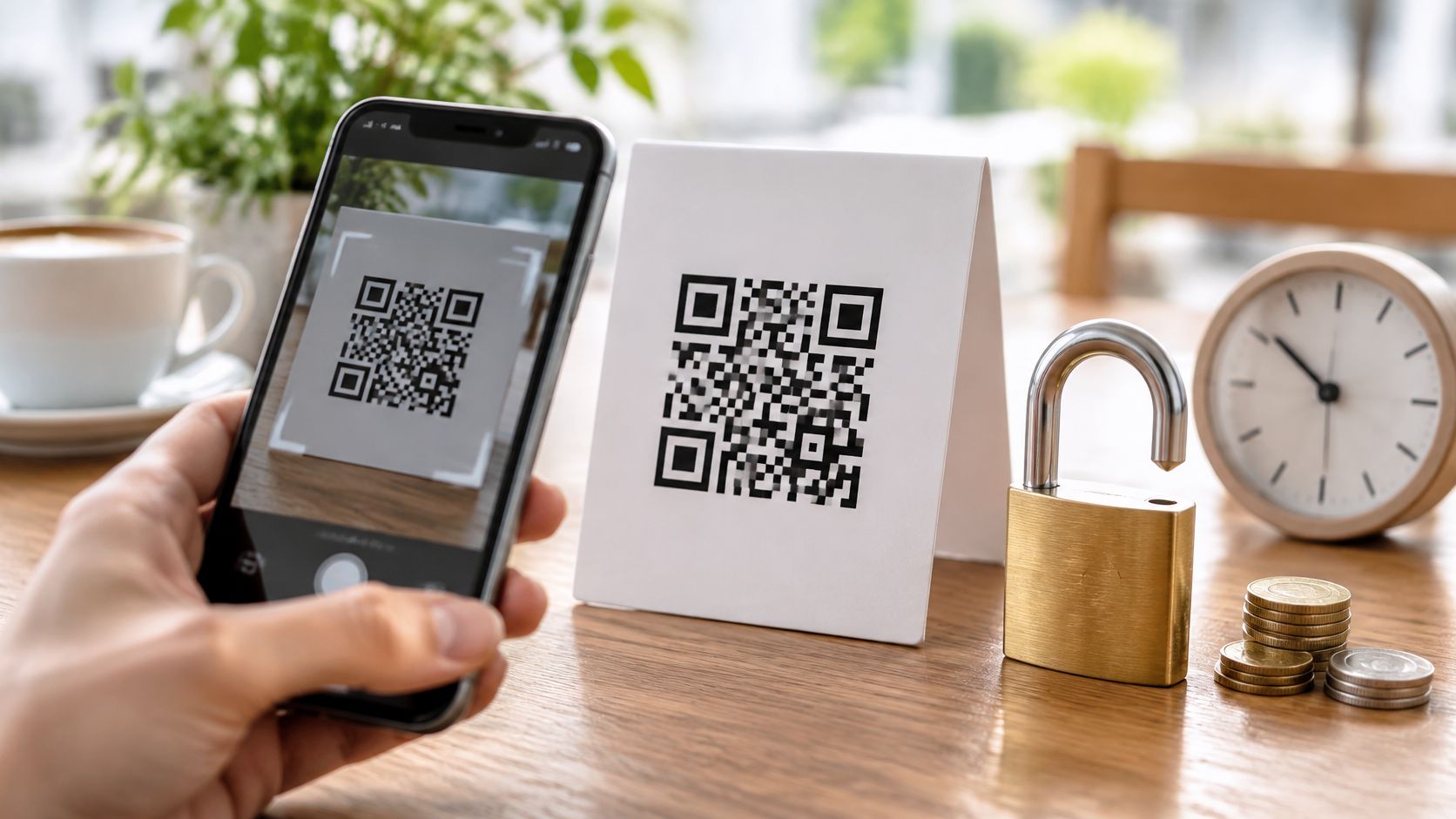
Yes, the QR code itself is free to create and use when it follows the open standard, because DENSO WAVE charges no licence fee. Costs come from services around the code, such as dynamic redirects, analytics, branded design, hosting and printing.
So why do "free" codes on rental counters go dead after a season? Owners treat the picture and the page behind it as the same thing. They're not. A bike shop, a boat desk, a tour meeting point, a restaurant, or a holiday home can print today and still lose the destination if a hosted account ends. The useful question isn't whether the squares cost money. It's which part of the setup you own.
Are QR Codes Free to Create and Use?
Yes. The code itself is free to create and use, including for business, when it follows the standard.
DENSO WAVE's FAQ states that users don't need an application, licence fee, or licensing contract to create or display a compliant QR Code. The specifications became public after approval as an AIM standard in 1997, and the format became the international ISO/IEC 18004 standard in June 2000. A static code that stores a URL, a text string, or a phone number has no royalty to pay. DENSO WAVE still holds the patent and the QR Code trademark, and it says it doesn't exercise those patent rights against standardized use.
DENSO's milestone account places the release in 1994, after work on industrial identification, and notes Japan's JIS X 0510 approval in November 2004. The company published the specifications and said it wouldn't enforce its patent rights against standardized use. There's no per-scan or per-code royalty. Generators may still charge for dynamic redirects, scan analytics, editable destinations, custom branding, hosting, or account tools.
Say a bike rental puts a static code on a counter card that opens the rental rules on the shop's own site. The squares cost nothing. The only bill is the card stock.
Think of the code format as a public road. Anyone can drive on it. Toll booths, parking, and car washes along that road are separate services.
What stays free and what can bill you
| Part | Usually free? | Where a cost can appear |
|---|---|---|
| QR code format (ISO/IEC 18004) | Yes | No royalty or licence fee for standard-compliant codes |
| Static code with a direct URL | Yes to create | Only the web hosting of the destination page |
| Dynamic code with a redirect | Often not | Subscription for editing, analytics or longer plans |
| Printing stickers and cards | No | Your printer or print shop |
| Custom branding and design | Not always | Design tools or paid templates |
| Scan analytics | Not on a basic image | Usually a paid tier |
| Hosted review or landing page | Not always | A provider plan can charge |
Nonstandard modifications can fall outside that free-use promise. Don't present a heavily altered symbol as an ordinary compliant code without checking the rights that apply.
Practical rule: If a generator asks for a card or a monthly plan, write down which feature needs it before you start.
Static vs Dynamic Codes on Expiry and Scan Limits
A static code stores the destination inside the image. It keeps working without a subscription for as long as that link stays online. A dynamic code sends the phone through a redirect service. Editing and analytics live on that service, so the printed card depends on the account behind it.
Industry reporting from QR Zone indicates dynamic codes represented roughly 64% of enterprise deployments in 2025. That shift is toward managed redirects, not proof that a paid redirect is the better choice for a small counter.
| Code type | Expires? | Scan limit? | Change destination? |
|---|---|---|---|
| Static code (URL stored in the image) | Not by itself; it works while the destination stays online | None set by the code format | No; the code must be reprinted |
| Dynamic code (redirect service) | Only if the service or account ends | Set by the provider's plan; read the terms | Yes, through the provider's editor |
The format doesn't put an expiry date on a static image. Failure is a dead page, a dropped domain, or a closed account. A dynamic code can stop even while the ink looks perfect, if the trial ends, the plan changes, or the company shuts the redirect. Read any scan cap in the terms before you print a thousand cards.
The trade-off, without a winner
Restaurants, hotels, rentals, and attractions that print thousands of stickers feel this first. A permanent menu, a phone number, or a review URL is a strong case for a static code. You aren't tied to a vendor, and you aren't sending every guest through someone else's tracker.
A beach club that rewrites its menu every week is the other case. Reprinting every table card costs more than a modest plan, so a redirect you can edit is the cheaper lifetime choice. Paying isn't automatically better. Compare lifetime reliability, the ability to edit, analytics, hosting, and reprint cost, not the price on day one.
A card that still scans is useless if the page it opens has vanished.
What to Check in a Free QR Generator's Terms
Read the terms before a single card goes to the printer. A holiday home that wants a Wi-Fi card to last two seasons should confirm the scan cap first. A cap you discover in month three means a reprint, not a settings tweak.
- Does the code or its redirect expire? A trial can end while the cards are still in the welcome folder. Write down the end date and what guests see after it.
- Is there a scan cap? Some plans stop after a monthly or lifetime count. Note the number and whether scans fail, queue, or show an upgrade wall.
- Does the free plan stamp the image? A watermark or a provider logo can cover modules and make a phone miss the code in bright sun.
- Can you export a print-ready file? If the PNG or PDF needs a paid plan, you don't have a printable code yet. Check the file type and the minimum size the export allows.
- Who owns the page and the guest data? If you can't move the destination, the provider can take the working link with them. Ask whether you can point the same image at a page you control.
For each answer, write the date and the plan name on a note, and keep that note with the print file.
If an answer is missing or vague, use a static code that points to a page on a site you pay for yourself. The generator can't switch that page off.
Print Quality and Size Limits That Affect Scans
Free doesn't mean unlimited data, and it doesn't mean the symbol survives scratches.
The ISO/IEC 18004 standard sets four Reed–Solomon levels at about 7% (L), 15% (M), 25% (Q), and 30% (H) of recoverable codewords, and records DENSO WAVE maximums of 7,089 numeric characters, 4,296 alphanumeric characters, 2,953 8-bit bytes, or 1,817 Kanji characters. Higher correction survives scratches, glare, and partial cover. It also makes the symbol larger, or it holds less at the same size. Phone cameras still do best with a short HTTPS URL, not a paragraph of house rules packed into the squares.
| Level | Recoverable codewords | Best used when |
|---|---|---|
| L | About 7% | Clean indoor print with little wear |
| M | About 15% | Standard counter cards and table cards |
| Q | About 25% | Outdoor signs or equipment that gets scratched |
| H | About 30% | Codes that may be partly covered by a logo or stains |
A sticker on a bike frame needs Q or H. Sun, spray, and scuffs eat modules. A counter card under glass can stay at M, because the surface stays clean and the scan distance is short. A logo sitting on the middle of the symbol is a cover, not a decoration. Branding a QR code only works if the quiet zone and the correction level still leave the modules readable.
Print steps that prevent failed scans
- Choose a short URL. Long text crowds the symbol and fails more often on older phones.
- Keep strong contrast. Dark modules on a light field. Pale grey on a photo background is a common miss.
- Leave a blank quiet zone. That empty border is part of the symbol. A border graphic that touches the squares breaks the read.
- Size it for the distance. A table card can be smaller than a sign guests scan from a bike rack.
- Test two phones before the batch. One recent phone and one older camera catch contrast and size problems a screen preview hides.
Keeping Guests' Trust in a Free Code
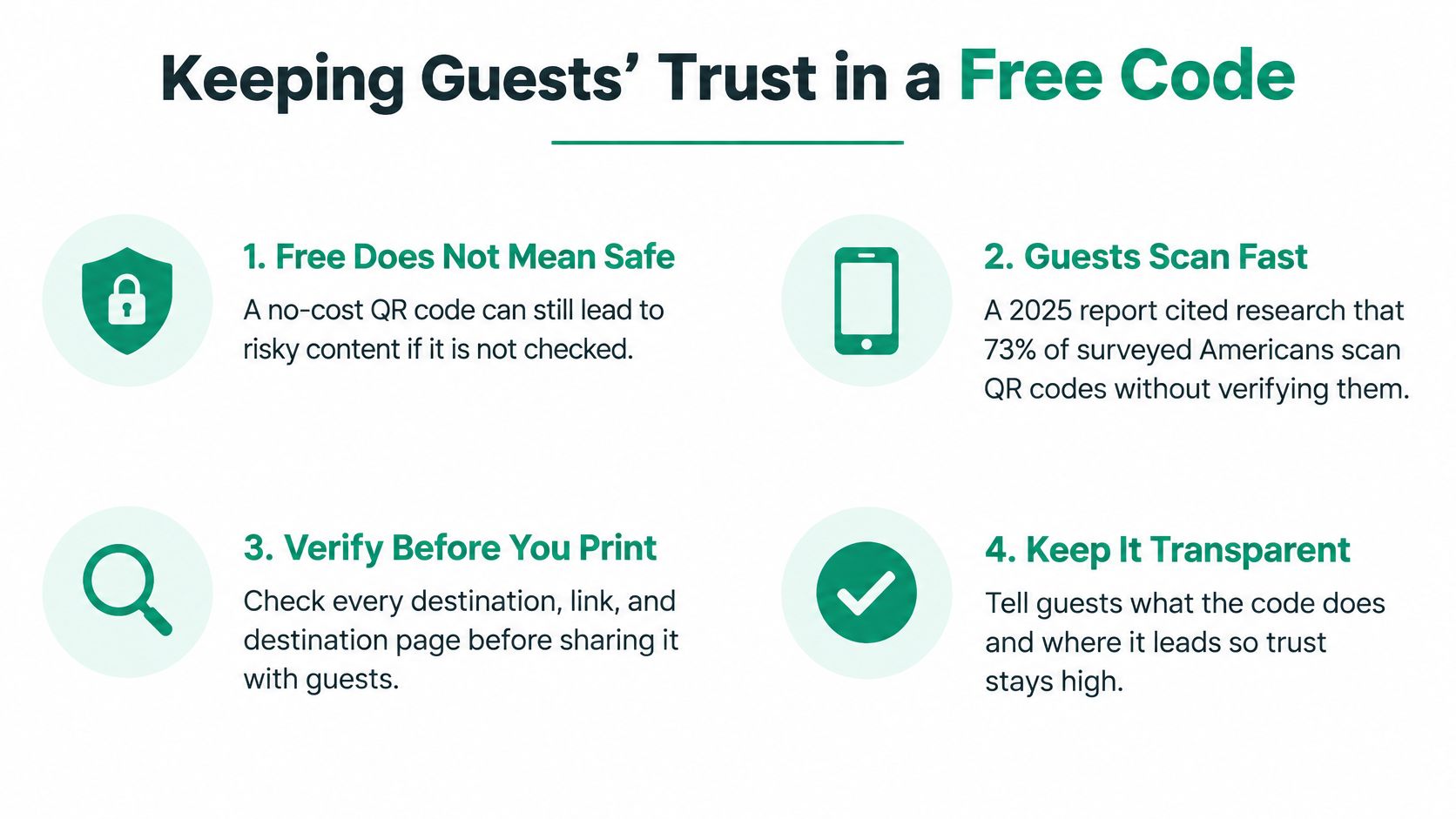
A no-cost image doesn't make the destination trustworthy. Guests often can't see the risk before they scan.
CNBC's 2025 report cited research that 73% of surveyed Americans scan QR codes without verifying them, and that more than 26 million had been directed to malicious sites. The U.S. Federal Trade Commission has warned that codes in unexpected packages can open phishing pages, steal credentials or payment details, or download malware.
The business cost is plain. A code that works can still lose scans if guests fear a trick. Review pages, payment prompts, menus, and booking links are the spots where that fear shows up.
What to do this week
- Print your brand name and a readable domain beside the code. Guests should recognise the shop before they lift the phone.
- Use HTTPS only. A secure address is the minimum for a page that mentions payments, bookings, or reviews.
- Say what the scan opens. "Scan for rental rules" beats a bare square. Skip surprise redirects that hop through a second site.
- Collect no personal data the scan doesn't need. A rules page doesn't need an email form.
Once a month, open each printed code yourself. Check that the page still matches the words next to the square.
Free QR Code Examples for Small Businesses
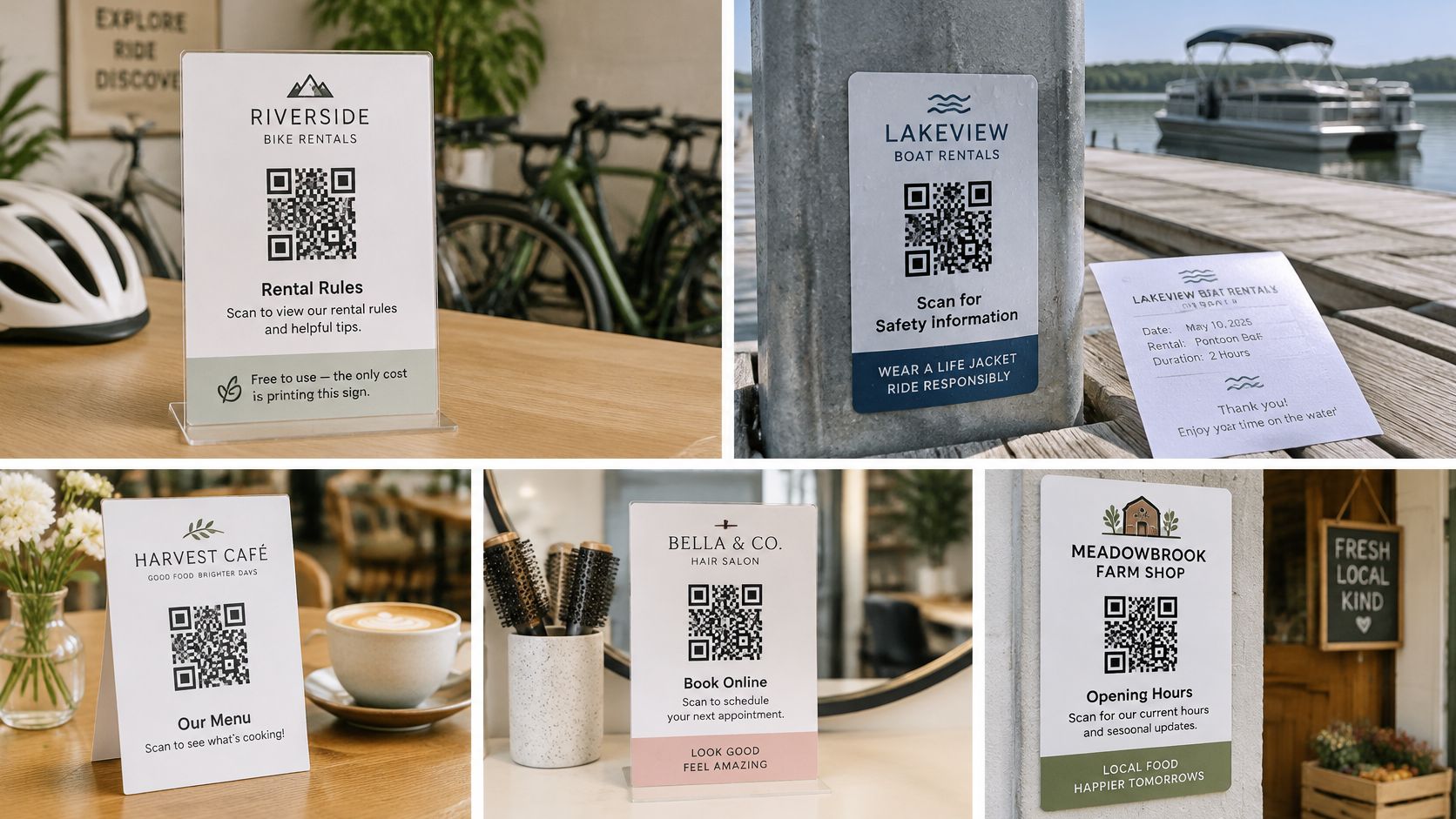
Picture five placements. For each one, check three things: who owns the destination, whether an edit needs a paid plan, and who pays for the print.
Bike rental. A static code on the counter card opens the rental rules on the shop's site. The squares are free. The print bill is the card. You own the page, edits are a normal website change, and the shop pays the printer.
Boat rental. A weatherproof sticker at equipment checkout uses a higher correction level for sun and spray. You own the rules page. If the URL never changes, you don't need a redirect plan. The sticker supplier is the cost.
Tour operator. The same short link sits on the meeting-point sign and on the booking confirmation, opening the itinerary on your site. You own that page. A reprint only happens if the address itself changes. Sign vinyl is the print cost, not a software fee.
Restaurant or beach club. A table card can open the menu. If the menu changes every week, a redirect you can edit beats reprinting, so read the plan before you commit. A restaurant QR code still fails if the menu page is on a trial you don't control. You pay the card printer either way.
Holiday home. One code in the welcome folder and on the house-rules page should be updated when the Wi-Fi password or check-out time changes. If those details change often, a page you can edit without a new image saves the folder insert. You own the page, and the print cost is the folder card.
List every code you already print, and write where it leads. That list shows which cards would die if an account closed.
Add One Neutral Review Code Without Breaking the Rules
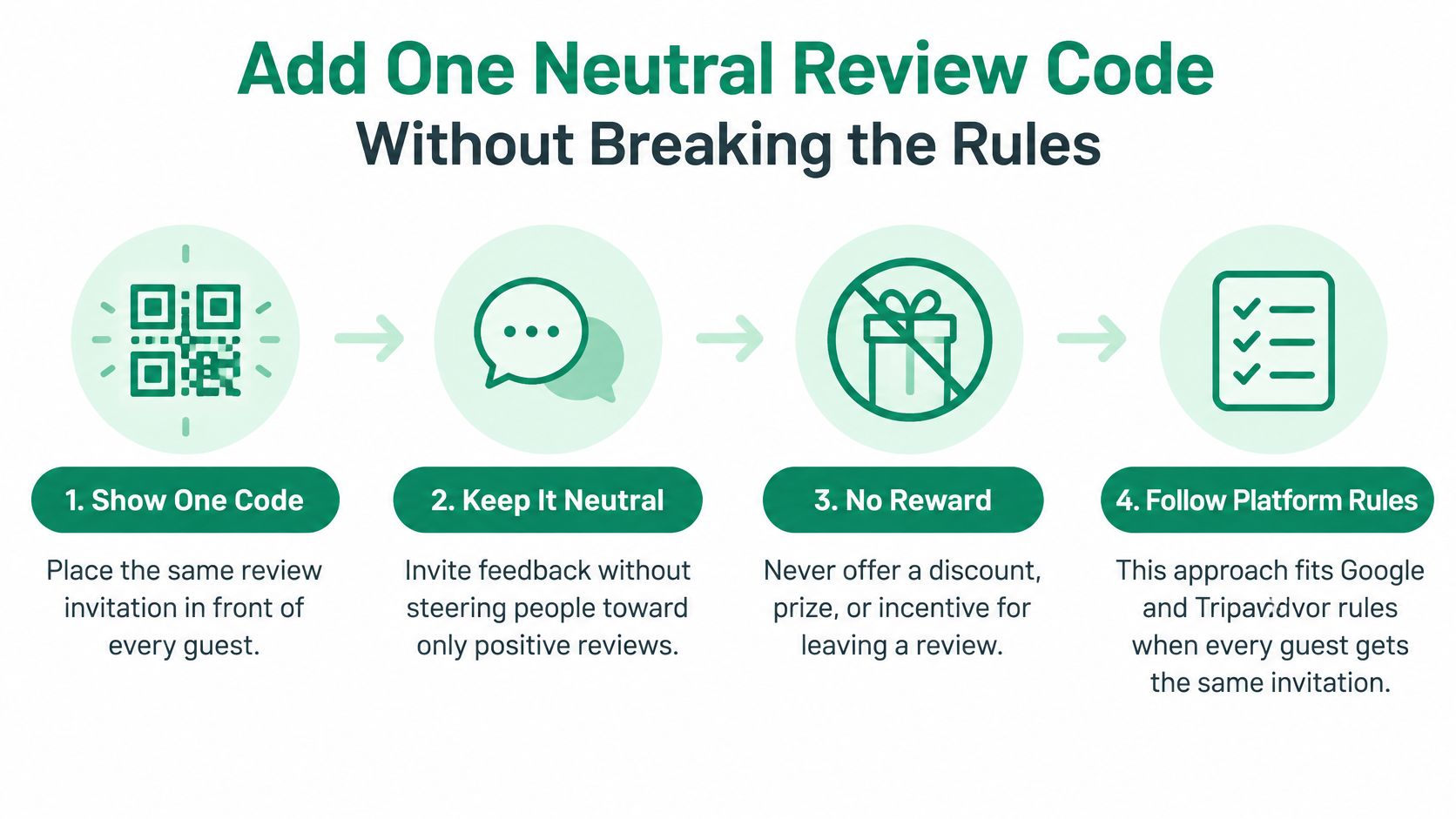
If reviews are the goal, show one neutral code to every guest. The same invitation, with no reward and no request for a star score, fits the platform rules.
Google's contribution policy allows review requests only for a genuine experience. It prohibits payment, discounts, free goods, or services in exchange for a review, a changed review, or removal of negative feedback. It also prohibits asking only for positive reviews or discouraging negative ones. Tripadvisor's trust guidance bans incentives too, including free drinks, discounts, contest entry, and donations in a guest's name, and it bans review gating. If a survey sends people onward, positive and negative paths must be identical. Google's fake-engagement guidance says violating content may be removed, and a Business Profile can lose new reviews or see existing reviews unpublished for a period.
Don't email only the guests who smiled. Don't hide the code from anyone who complained. A counter, a rental tag, or a departure message works because the phone is already out, and every guest can see the same card.
More detail on wording sits in this guide on how to ask customers for Google reviews. Test the printed size before you order a stack.
Two ways to host the same invitation
HolaQR is a free QR review page that shows itself in each guest's language, with direct review buttons and a code that never expires. The page, the code, and the printable files are free. An owner can start today by letting guests scan the code on a phone screen, with nothing to print first. It doesn't filter guests and doesn't change the rating.
A plain static code that links to your own review page costs nothing extra. It won't switch language or show review buttons, so you build those yourself. Pick the option that matches your time and your mix of international guests.
Show one code on your phone, at the real spot, and confirm it opens before you print anything.
Put one neutral code where guests already have their phones out today, at payment or when they return the bike, the boat, or the room key. If you want the page, the language switch, and the review buttons without a print run first, create the code at HolaQR and let the next guest scan it from your screen.