Can You Edit a QR Code? What Changes and What Stays
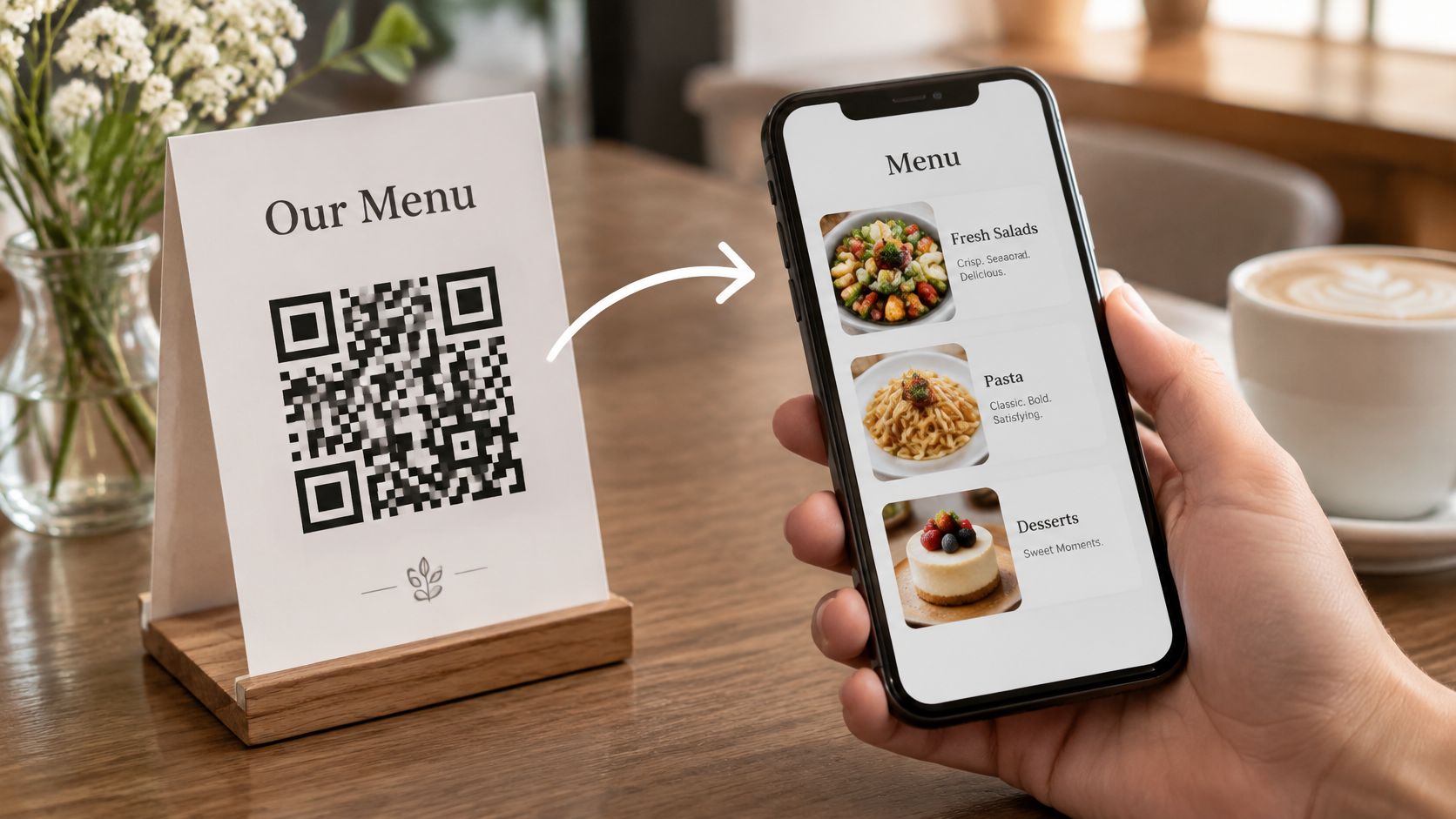
Yes, you can edit a QR code, but only the half you can't see. The link behind the printed pattern can be re-pointed whenever you want, while the black and white squares stay fixed the moment the code is generated, and the code type decides which of those two situations you're in.
79% of 601 business leaders surveyed in 2025 reported using dynamic codes, the kind that can be re-pointed without a reprint, according to Uniqode's State of QR Codes report. The rest are still printing codes that will need replacing the first time a menu, a booking page or a review link moves.
So why does nearly every guide stop at "use a dynamic code" and call it done? Because that answer skips the two questions that decide whether a print run survives: what changes when you edit, and what happens to a healthy-looking code the day the service behind it goes quiet?
A guest holding a dead code won't complain. They'll walk away, and the sticker will keep smiling at the next one. Getting the type right before the run goes out takes less time than the print order.
What You Can and Cannot Change in a QR Code
A QR code is a picture of data, not a link. The phone decodes the same string of characters on every scan, next week and in three years, because that string sits inside the module pattern from the moment the file is generated.
Everything editable happens after the decode. The scan finishes, the phone makes a web request, and something answers at the other end. When owners ask can you edit a QR code, they're usually asking about that second step, and the honest answer changes depending on how the code was built. One part is a picture, the other is a destination, and only one of them lives in the ink.
Why the Squares Can't Be Repainted
Picture two road signs. One points to a directory board in a shopping centre, so the centre can move a shop to a different unit without touching the sign. The other has the shop's street address painted across it. Change the address and the sign is wrong forever unless somebody repaints it.
A static QR code is the second sign. A dynamic QR code is the first, because it points at an address you control rather than at the destination itself. Editing a static code means making a different code. Editing a dynamic one means changing what sits at the address.
| Part | Change later? | What it means |
|---|---|---|
| Printed black and white squares | No | Changing them creates a different code |
| Logo, colors and size | No | Needs a new code and a fresh test scan |
| Page content behind the link | Yes | Menus, review buttons and contact options update in place |
| Destination URL | Dynamic codes only | A redirect can be re-pointed; a static code has to be reprinted |
The trap is the phrase "edit the QR code" itself. Yes, you can edit what a QR code opens. No, you can't edit the code. Those are different jobs done by different people with different tools, and mixing them up is how a business ends up with four hundred stickers pointing at a page nobody can log into.
Before anything goes to the printer, run through those four rows and ask which parts might need to change in the next twelve months. If the answer includes the destination, the code type matters more than the design.
Telling Static and Dynamic QR Codes Apart
Two codes can look identical on a counter card and behave nothing alike. A static code carries your full web address inside its pattern, so the destination and the picture are the same object. A dynamic code carries a short redirect address instead, and the page it opens gets resolved on a server after the scan.
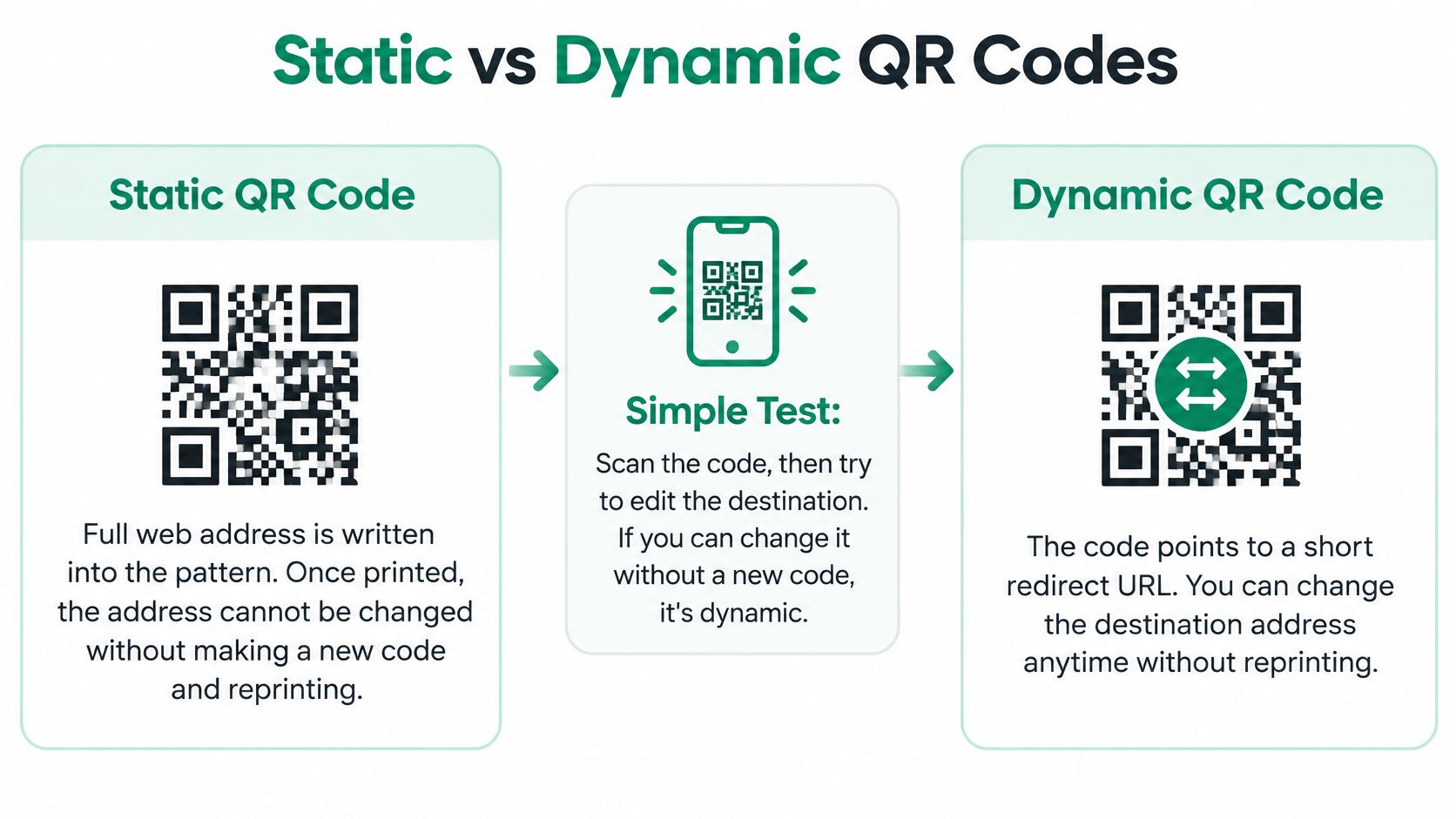
That split is a software-level change, not a modification of the printed pattern, and it's the reason an old sticker can still point somewhere useful. The technology behind it dates to DENSO in 1994, built for faster, higher-capacity production-line identification, and the first version could encode approximately 7,000 numeric characters, roughly 200 times the capacity of a traditional barcode in that use case, as DENSO WAVE's 30th anniversary history describes.
The symbol itself sits on unusually solid ground. DENSO released the QR Code in 1994 and made the specifications publicly available, it became an AIM industry standard in 1997, a Japanese Industrial Standards 2D code in 1999 and an ISO international standard in 2000, with QR-reading phones arriving in 2002, per DENSO's QR Code technology history. That's why a printed code keeps scanning across phones and countries even after the page behind it has changed several times.
| Criteria | Static code | Dynamic code |
|---|---|---|
| Changing the destination | Create a new code and reprint | Change the redirect; no reprint |
| Printed code after a change | Replaced | Stays the same |
| Depends on a redirect service | No | Yes, so the domain and uptime matter |
| Best use | One fixed page for years | Review links, menus and booking pages |
A Quick Check on Any Printed Code You Own
- Scan the printed code with a phone camera, not a scanner app.
- Read the address that appears before the page loads.
- If it's your full web address, the code is static.
- If it's a short address from a redirect service, the code is dynamic.
- Note who controls that redirect and where the login lives.
- If nobody can find the login, find out who owns the domain before the next print run.
Changing the links on the page does not change the QR code, so printed stickers and flyers keep working. That's the payoff of the dynamic route, and it's also the catch. A dynamic code is only as reliable as the service behind it, which puts the login and the domain on the same level of importance as the redirect itself.
Changing Colors, Logos and Size Safely
A printed code can't be recoloured. Colour, logo placement and size are all part of the pattern itself, so any visual change means generating a new symbol and testing it again before the run goes out. The destination behind a dynamic code can change freely; the ink on the sticker stays fixed, and treating that artwork like a logo file you can tweak after printing is how codes die on counters and table tents.
Why a Logo Can Break a Code That Looks Fine
Standard symbols run from Version 1 at 21 by 21 modules to Version 40 at 177 by 177 modules. Adding payload or raising the correction level pushes the symbol up that scale, which makes every module smaller at the same physical print size. More squares in the same space means less margin before a phone camera gives up.
Error correction is what buys back tolerance. Reed-Solomon correction recovers a share of damaged codewords, so a scuffed sticker or a small logo can still scan if the level is high enough.
| Level | Approx. recovery | Best for |
|---|---|---|
| L | about 7% | Clean print with no logo |
| M | about 15% | Common balance for most small business prints |
| Q | about 25% | Small logo or light branding |
| H | about 30% | Heavy branding or outdoor wear with damage risk |
Level M is the usual compromise between reliability and capacity. If a branded logo is required, go up to Q or H and accept the denser pattern.
Practical rule: never approve the artwork on a monitor. Export the final file and scan that exported file on two phones at the distance a guest will actually stand.
A Routine That Survives the Print Shop
- Keep a dark code on a light background.
- Leave the blank margin around the code intact.
- Never cover the three large corner squares.
- Raise the correction level before you add a logo.
- Test the final exported file, not the draft, on two phones at the intended print distance.
A café puts a generous logo over a Level M code on a table card, then finds it only scans from a few centimetres away. A smaller logo at Level H fixes it without changing the URL, because the fix is in the pattern density rather than the destination.
There's a quieter version of the same rule. A shorter link always leaves more room for branding, since fewer characters mean fewer modules and more forgiveness for real-world damage. Shrinking a long address is the cheapest design decision available, and the guide to branding QR codes without breaking them covers the colour and contrast choices that survive a busy counter.
One last consequence of the fixed pattern: the artwork file is a working copy of the code, and so is every print it produces. Keep the master file somewhere only the people who need it can reach it, because a photographed or reprinted sticker scans exactly like the original.
Updating Links for Reviews, Menus and Contact
The edits owners make are boring and frequent. A seasonal menu, a booking page that moved to a new system, a WhatsApp number that changed hands, a review link that should open the form instead of a map listing.
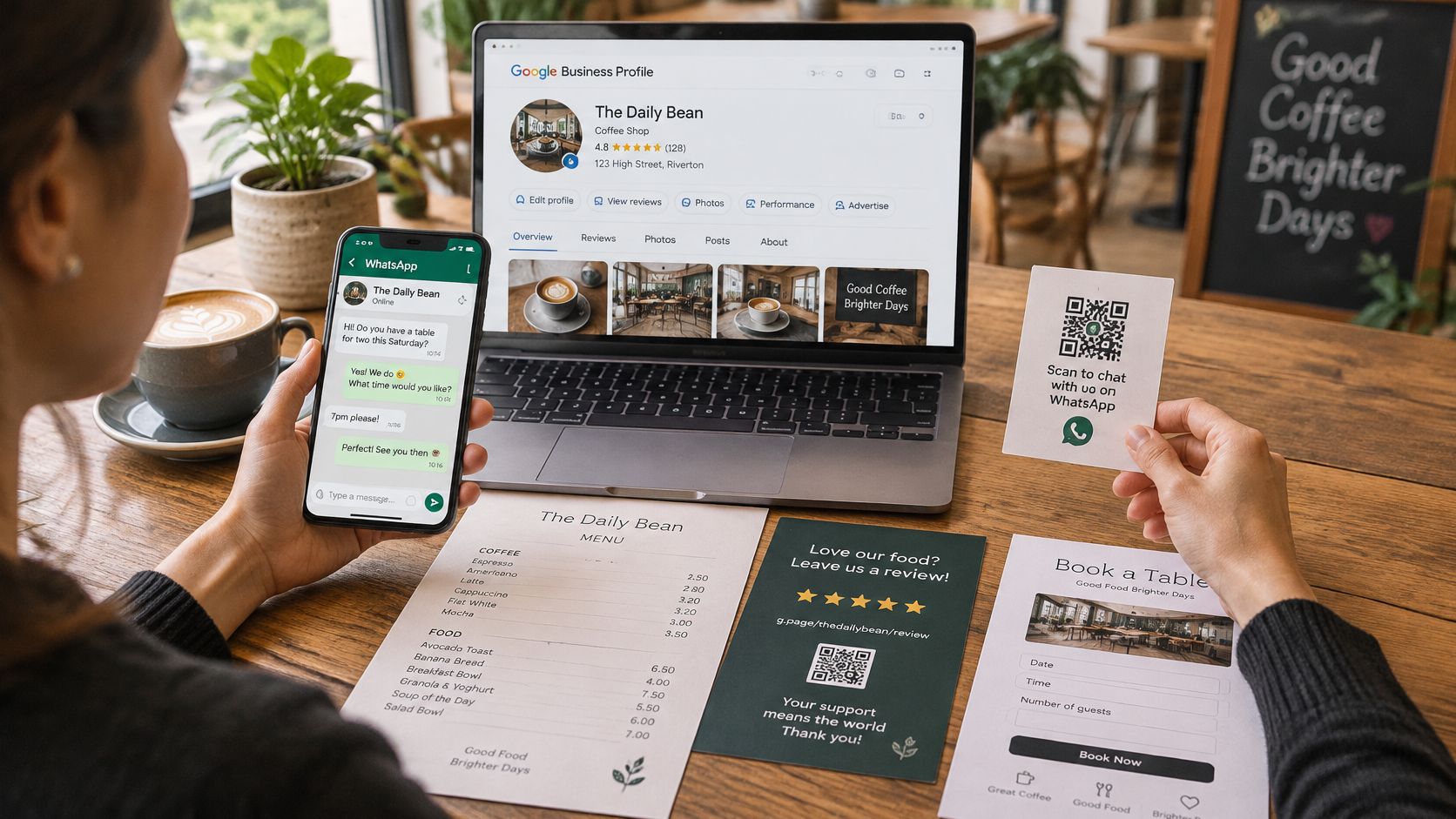
Google makes the review link easy to grab. Open the Business Profile, select "Read reviews," choose "Get more reviews," then copy or share the link or QR code, as the Google Business Profile help page on review links sets out. Google notes the code can go in customer emails, receipts and printed materials, which means a bike handover desk or a holiday-home welcome folder can point a guest straight at the review form without asking them to hunt for the business on Maps.
The Order to Do the Edits In
- Change the content on the page, not the printed code.
- Open the page on an iPhone and an Android phone.
- Scan the printed code once after the edit.
- Write down the date and what changed.
That last step is the one people skip. Six months later, when a link opens something unexpected, the log is the only way to know which change caused it and when.
What You Can Ask For and What You Can't
Asking guests for reviews is allowed, and the owner can change the links on the page at any time. What isn't allowed is steering. Google's review policy requires reviews to reflect a genuine experience and bans incentives such as payment, discounts, free goods or free services in exchange for a review (Google's contribution policy). Tripadvisor goes further and prohibits review gating, meaning a business must not solicit positive feedback selectively or reject moderate and negative feedback, and the submission experience has to be identical for both (Tripadvisor's review guidelines).
One neutral button, offered to every guest, is the only setup that survives scrutiny. No free drink, no filter, no star target.
A restaurant counter card is the easy illustration. The Google link on it can change as often as the owner likes, and the card keeps working because only the page behind it moved. A single page that holds several links means the menu, the booking page and the review buttons can all shift without another print order, which is the difference between one editable destination and three separate codes to manage.
Protecting an Editable Link From Misuse
Editing a link is usually sold as the safe option. It isn't automatically safer. A dynamic code introduces a dependency the static code never had: whoever controls the redirect decides where your printed material sends people, without notifying you.
The security side is worse than most owners expect. A 2025 USENIX study of 1,876 participants found that only 13% recognised fraudulent QR payment requests, compared with 46% who recognised equivalent manually entered payment details, as reported in the USENIX Security 2025 paper on QR code fraud. Guests are not reading the address bar before they trust what a code opens.
The Safeguards to Put in Place Before the First Edit
- Give edit access to two people, not five. The owner and one trusted manager is enough. Every extra login is another way in.
- Keep a change log with the date, the person, and the old and new destination.
- Use HTTPS on every destination. A browser warning on a review page costs more trust than the review is worth.
- Preview the final address before saving. Read the whole thing, including the part after the slash.
- Keep the same branded domain so a returning guest recognises where they're being sent.
- Keep a fallback page or a phone number in case the redirect fails.
- Post a short notice after a major change, saying what changed and why, so regulars aren't confused by a menu that suddenly looks different.
The other failure is quieter than fraud. If the redirect provider has an outage, or the domain lapses because a renewal email went to a former employee, a perfectly healthy printed code stops working overnight. No amount of error correction saves it, because the pattern is fine and the destination is gone.
An editable code is only as durable as the domain behind it. A printed phone number underneath costs nothing and covers the worst case.
So print the WhatsApp or reception number on the same card, and ask the provider how long they've held the domain and what happens to codes if the account closes. None of this needs technical skill. It needs a short list, a named owner and a check every few months.
Giving Guests a Route That Does Not Need a Scan
Not every guest can scan, and the ones who can't are often the ones who need the most help. A visitor on a foreign SIM with almost no data, an older guest who has never used a camera shortcut, someone who distrusts codes after a scam warning on the news, a blind guest who can't find the code or tell whether it's covered.
The numbers back up the friction. A 2025 case study of 400 university students reported that only 40% scanned QR codes and accessed forms successfully without difficulty, with barriers including unstable internet, limited digital literacy, unfamiliar phone functions, fear of scanning and distrust of digital tools, according to the ICSSSM 2025 study on QR code usability. That study also notes that blind users may not know where a code is or whether it's obstructed, and that some wheelchair users can't easily position a phone to scan.
Backups to Print Next to the Code
- A short web address in plain text under the code, short enough to type on a phone keyboard.
- The business name beside it, large enough to confirm the guest is in the right place before they tap anything.
- A phone or WhatsApp number for anyone who would rather message than scan.
- Instructions in the guest's language, not only in the local one.
- Strong contrast and a readable size, positioned where someone can see it at arm's length without crouching.
- A paper card or a staff handover, so the ask doesn't depend on a working camera at all.
Guests scan with the phone camera and the page opens in the browser, with no app and no account needed, which removes one barrier. It doesn't remove the rest. A guest with no data still can't load anything, and a blind guest still can't aim.
A hotel welcome folder shows the shape of a decent fix: a QR code, a short typed address and the reception number on the same page, with one line in English and one in the guest's language. The code stays a shortcut rather than the only door, and the anatomy of a QR landing page that works on any phone covers what belongs on the page once someone arrives.
Confirm Your Code Type Before Your Next Print Run
If a link might change within the next year, settle the code type before anything goes to print. That single decision saves a reprint, or prevents one.
- List every printed item in circulation: stickers, counter cards, menus, welcome folders, table cards, vehicle panels.
- Mark which destinations may change in the next twelve months, which usually means review links, menus and booking pages.
- Check each printed code's type using the scan test.
- Point every changing destination at a page you can edit.
- Test each page on an iPhone and an Android phone before reprinting.
- Keep a simple log of every change, with dates.
When comparing tools, hold each one to the same three questions: can the link be edited after printing, is there a record of who changed what, and what happens to the codes if the service stops trading? Tools that answer all three are worth paying for. Tools that dodge the third question are a risk no matter how good the design looks.
HolaQR is a free QR review page that shows itself in each guest's language, with direct review buttons and a code that never expires. A page can be created by pasting a website link, and an owner can start today by letting a guest scan the code straight from the phone screen, with nothing printed first. It's free and needs no credit card, which makes it a reasonable way to test the whole idea before committing a print budget.
The cheapest next step is the one already in reach. Take the code on your counter card, scan it, and read the address before the page loads. If that address is a page you can log into and edit, the printed run is safe. If it's a full web address with no login behind it, the next menu change or review link update means a reprint. Build one editable page first, at HolaQR, add the review buttons and the contact links, and show the code on your phone screen to the next guest who pays. Print only after you've watched it work on both an iPhone and an Android, and keep the login in two pairs of hands.