Dynamic QR Code Explained for Small Business
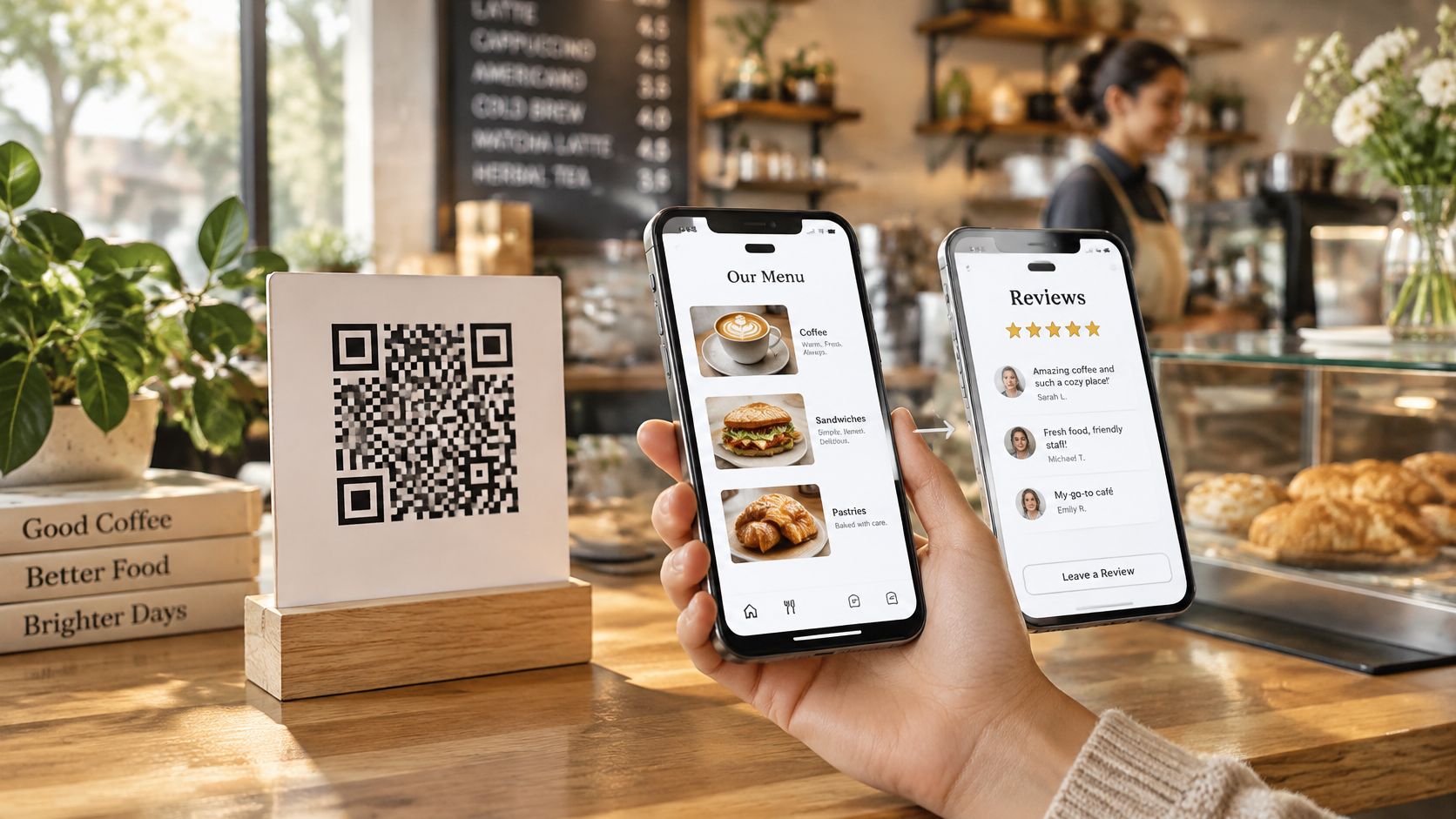
A dynamic QR code is a printed square that stores a short web address an owner can point somewhere else later, so the sticker stays in place while the page behind it changes. The square itself doesn't hold the menu, the route map, or the review page. It holds one stable address, and that address sends each phone to the page set up right now.
That one detail solves a familiar end-of-season problem. Cards printed in spring still sit on tables, rental counters, boat folders, and welcome packs, but prices, meeting points, and review links have moved. Owners don't need a fresh print run for every change. They need control over the address those cards already carry, plus a page guests can read and trust when the scan opens it.
Static and Dynamic QR Codes Compared
A bike rental counter at closing time shows the choice clearly. The sticker on the desk was printed in spring and opens last month's route map. The owner now wants it to open a review page with contact details. A dynamic QR code makes that swap without a new sticker. A static code can't, because its final message is baked into the square.
The short definitions are simple. A static QR code stores the final text, Wi-Fi details, or one fixed link. A dynamic QR code stores a short, stable web address, and a server decides what the phone sees. ISO/IEC 18004 on the ISO website governs the symbol itself, including encoding modes, symbol dimensions, error correction rules, and production quality, for both kinds.
Static and Dynamic QR Codes at a Glance
| Question | Static QR code | Dynamic QR code |
|---|---|---|
| What the square stores | The final text, Wi-Fi details, or one fixed link | A short stable web address |
| Change the page after printing | Print a new code | Edit the page; the printed code stays |
| Best thing to put in it | A short fixed message | Only a short HTTPS link |
| See how many people scanned | Usually no | Often yes, if the service counts scans |
| If the web service stops | The baked-in message can still open | The code fails if that address goes dead |
| Cost of a seasonal change | New stickers, cards or flyers | One print for the season |
Three rows change most buying decisions. First, stored content decides everything else. Bake the final message into the square and it's fixed. Store only a short address and the page behind that address can change. Second, later edits decide the print bill, because one sticker can open a route map in May and a review page in August. Third, shutdown risk is the price of that freedom. A baked-in Wi-Fi password opens with no website in the middle. A dynamic code fails if the stable address goes dead.
A dynamic QR code isn't a sharper or fancier square. It's a hallway behind a fixed door number.
Both kinds scan with a normal phone camera, and both follow the same symbol rules. The dynamic part lives on the server, not in a special encoding mode. In practice the path runs like this, printed code, stable HTTPS address, editable branded page, then a review, WhatsApp, social, or information link. That address should load fast and skip long redirect chains, since guests scan on weak signals and in poor light.
The choice for a small business comes down to change. Dynamic suits a destination that'll change this season, such as a menu, a handover sheet, or a review page. Static suits a Wi-Fi password or a short note that'll never change and should keep working offline. Other dynamic QR services exist, and many charge fees, so owners should compare the same rows, stored content, edits, and shutdown risk, before picking one. Price matters less than who controls the address printed on fifty stickers.
How the Printed Code Stays the Same
The number on the door stays put when the furniture behind it moves. A dynamic QR code works the same way. The printed pattern is the door number. The page behind it is the room, and the owner can move things around in that room without touching the door.
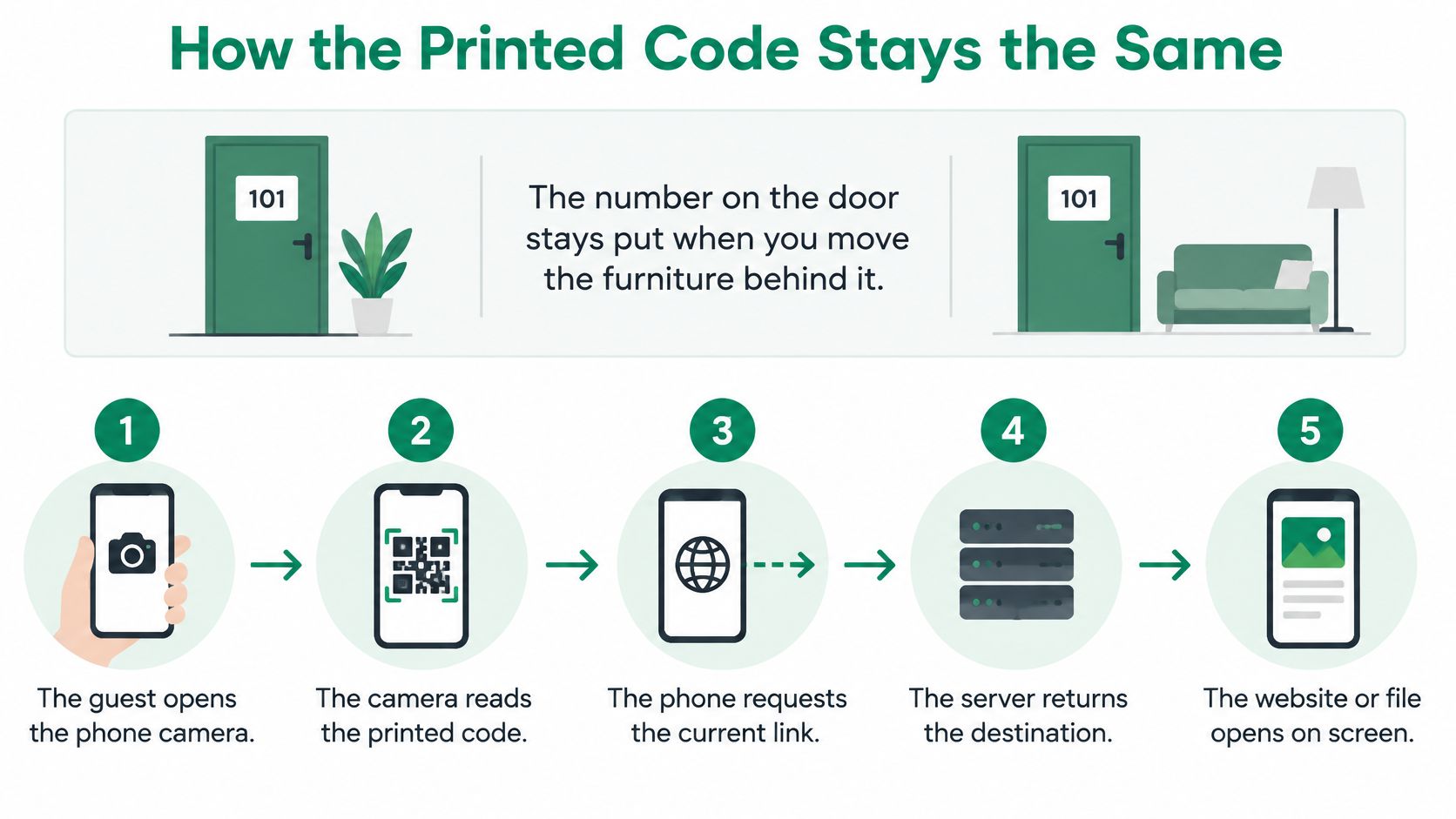
Every scan follows the same five beats.
- The guest opens the phone camera and points it at the square.
- The camera reads the square and finds one short web address.
- The phone opens that address over a secure HTTPS connection.
- The service shows the current page, such as a menu, house rules, a WhatsApp link, or review buttons.
- The owner edits those links later inside the service, and the printed square is never rebuilt.
Guests scan the QR code with their phone camera and the page opens in the browser, with no app or account needed. That's why the address must stay short and direct. Each extra jump costs seconds on a boat, a sunny terrace, or a weak cafe signal, and guests who wait too long give up before reaching a review or contact button. The secure connection matters too, because the next tap goes to a review form or a private message.
One Sentence of History
The square itself is an open standard, not a new invention. DENSO WAVE's history of the QR Code dates the original code to 1994 in Japanese car factories, and it could store approximately 7,000 numerical characters. The dynamic part came later as a service layer on top of that standard, since the printed matrix doesn't change after creation and only the destination behind the address changes.
Same-day test: change one link on the page, then scan the same printed code and check that the new page opens.
That test proves the whole idea in under a minute. Changing the links on the page does not change the QR code, so printed stickers and flyers keep working. A sticker printed in May can open a different page in August. Nothing about the guest's part changes either. The camera still reads the same square, in the same way, on the same counter card. Only the room behind the door looks different.
Owners sometimes worry that editing a page breaks codes already stuck on bikes or boats. It doesn't, as long as the stable address stays alive. The thing to protect isn't the image of the square. It's the address inside it, because that address is the one link between every printed copy and the page guests see. Keep that address working, and every copy printed this season keeps working too.
Uses for Rentals Tours and Tables
Four everyday scenes show where a dynamic QR code earns its keep. In each one the printed code stays put and the page changes with the season. The pattern is always the same. Guests get something useful at the moment of the scan, and the owner swaps the content later without touching a printer.
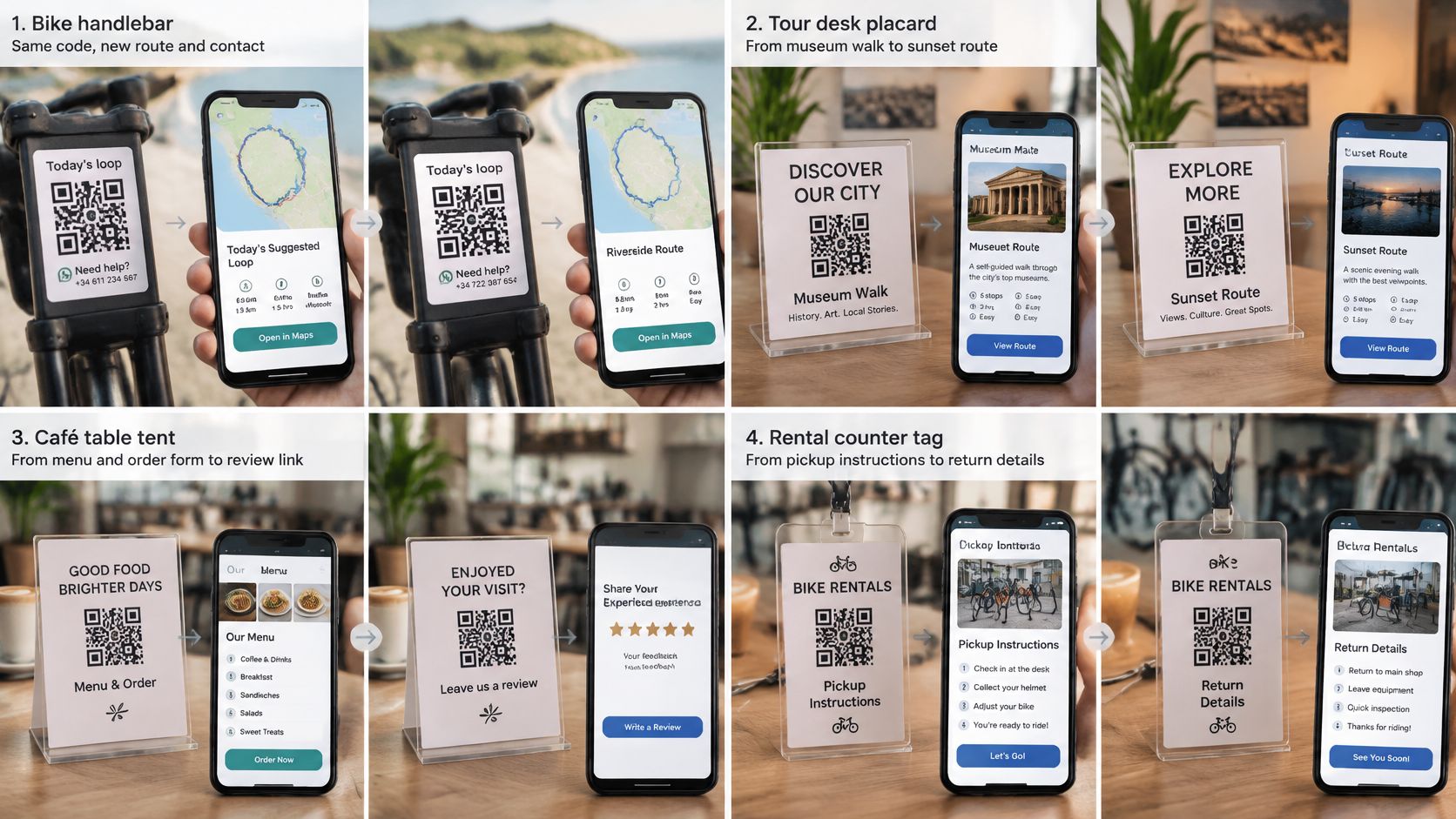
A bike rental sticker on the handlebar or counter opens today's suggested loop, a WhatsApp number for a puncture, and the shop details. Next month the loop changes because a path closes or a new trail opens. The sticker doesn't. The owner edits the route link once, and every bike on the rack now sends riders to the new loop.
On the Water and on the Road
A boat rental handover sheet opens safety notes and a contact button while the guest still stands at the dock with a phone in hand. That timing matters, because nobody reads safety notes after casting off. Later in the season the same sheet can carry updated harbour rules or a new fuel dock note, with no new laminate printing.
A tour desk prints one code on the ticket wallet. In the morning it opens the meeting point, so late guests find the guide without calling. After the trip the same code can open a review page, so the guide isn't handing out a new card each week. One print covers the before and the after.
At the Table and in the Welcome Folder
A restaurant or beach club table card opens the menu during the lunch rush, in words the guest can read. After the meal, the same card can point at review buttons. Owners don't reprint every table when a dish changes or the kitchen wants feedback instead of orders.
A holiday home or B&B welcome folder opens house rules, local tips, and a way to reach the owner. Wi-Fi belongs on its own static code, since that password shouldn't depend on any website. The dynamic page handles the things that change, like a new checkout time or a closed restaurant replaced by a better tip.
Show the code when the phone is already out, at payment, at key handover, or when the bike or boat comes back.
HolaQR recommends showing the code when guests are happy and their phone is already out, usually when they pay or return something. One page can hold the review buttons, the contact link, and the practical notes, so the counter needs one code instead of three. International guests should see words that match the phone language rather than a card printed only in the owner's language, because a guest who can't read the page can't act on it.
Make the Code Easy to Scan Outside
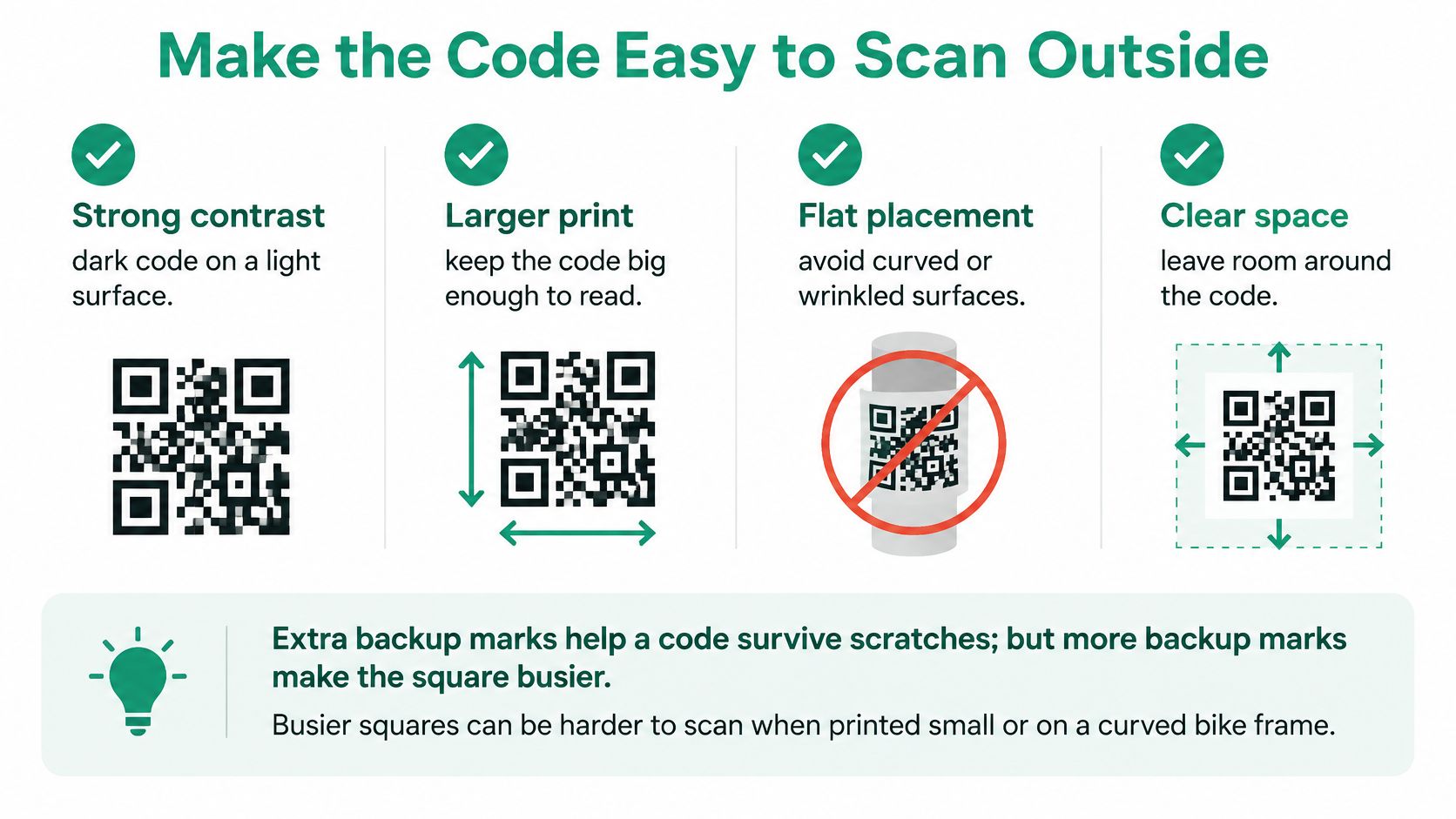
A QR code can survive scratches by storing extra backup marks. Those marks make the square busier, and a busier square printed small is harder for a camera to read. That's the whole trade. More backup means more damage tolerance and, at the same print size, smaller marks for the camera to resolve.
The standard has four backup levels. ISO/IEC 18004 as summarized on Wikipedia defines four error correction levels, with approximate recoverable data loss of 7% for L, 15% for M, 25% for Q, and 30% for H. Higher levels add redundancy, which shrinks each module when the printed size stays fixed, and module size is the main thing that decides whether a scan works.
How Much Damage a QR Code Can Survive
| Level | Damage it can roughly survive | Good place to use it |
|---|---|---|
| L | About 7% | Clean indoor print with a short life |
| M | About 15% | Everyday counter cards and flyers |
| Q | About 25% | Outdoor stickers on bikes, boats and tables |
| H | About 30% | Heavy wear only if the printed square stays large |
For most owners the pick is simple. M suits a clean indoor counter card. Q suits a sticker living on a bike, a life jacket bin, or a terrace table. H earns its keep only when the print stays large, because on a curved bike frame or a glossy boat card the tiny marks defeat the extra backup. Choosing H by habit can make an outdoor code worse, not better.
Print Rules That Prevent Failed Scans
- Encode only the short secure address, so the square stays open and easy to read.
- Leave a blank quiet margin around the square on every side.
- Use dark marks on a light background for strong contrast in bright sun.
- Keep the code flat, away from folds, wet rails, and tight curves.
Owners who want colours or a logo on the square should read about branding QR codes without breaking scans before printing, because looks come second to contrast and margin.
Every print also needs a human backup. Put a short readable web address under the square, a plain line such as "Scan to see the menu" or "Share your experience", and another way to reach the business, such as WhatsApp or a phone number. Older phones, bright sun, wet hands, and weak harbour signal all break scans. A dynamic page should open in one step, not through several jumps, and still make sense when a guest types the address by hand.
Ask Every Guest Without Breaking Rules
The safe rule is short. Owners may ask every guest for an honest review. They may not pay for one, discount one, or attach a free drink, an upgrade, or any other perk. They also may not ask a guest to change or delete a review that's already up.
Google Maps' contribution policy prohibits incentives for reviews, covering payments, discounts, free goods, and free services, plus incentives for changing or removing a negative review. Google treats that as rating manipulation and may remove those reviews. A free coffee for a five star review isn't a grey area. It's the exact pattern the policy bans.
Tripadvisor draws the same line on perks. Tripadvisor's guidance for businesses allows encouraging reviews but bans benefits such as a free drink, discount, room upgrade, raffle entry, or late checkout, and also bans staff rewards tied to review volume. Penalties can include removed reviews and lost eligibility for Tripadvisor awards.
The Identical Path Rule
The second rule catches owners who'd never offer a perk. A restaurant page that sends happy guests to Tripadvisor and unhappy guests only to a private complaint form breaks the rules. Tripadvisor's trust and safety policy prohibits review gating and says the path for positive and negative reviews must be identical. Filtering by mood, even politely, is still filtering.
One page, the same review buttons, for every guest. That's the whole compliance test.
A WhatsApp button for questions can sit on the page. It just can't replace the review button for a guest who had a bad tour or a late boat. Neutral wording keeps the ask clean, so "Share your experience" works and any mention of a desired star rating doesn't. That same line belongs at checkout, on the rental return, and in the welcome folder. Owners looking for safe wording in practice can use ways to ask customers for Google reviews as a starting point.
A dynamic page helps here in a quiet way. One code gives the same direct review buttons to everyone, and a broken review link can be fixed later without pulling codes from counters or tables. HolaQR sends every guest to the same review window. It never offers rewards for reviews and never chooses which guests are asked. It doesn't filter guests and doesn't change the rating. It only helps guests leave a review, and the guest still writes the words and picks the stars.
Keep Control of the Link You Printed
The feature that saves a reprint also creates the risk. A trusted sticker can point somewhere new overnight, and guests can't see the destination before they scan. The square looks identical either way. Familiar print earns trust that the hidden address may no longer deserve.
The numbers show how weak that trust check is. Maastricht University research on QR code fraud found, across three experiments with 1,876 participants, that only 13% recognized fraudulent QR payment requests, compared with 46% for manually entered payment details. Hospitality owners aren't running a bank, but the lesson transfers. A code on a boat, a cafe table, or a key folder feels safe because it looks familiar.
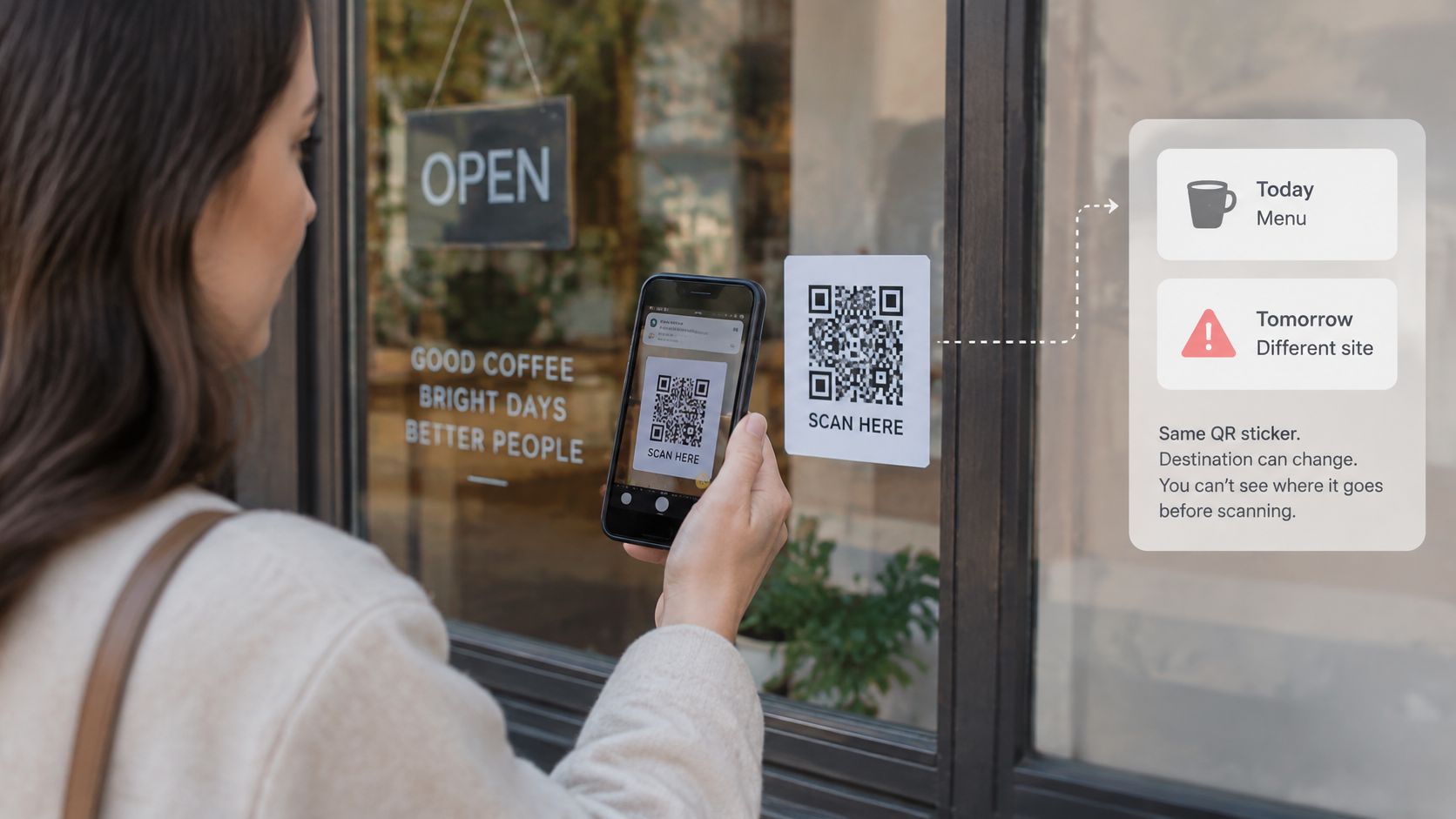
Five Checks Before Printing a Season of Stickers
- Who owns the web address in the square, the owner or a vendor?
- Can scan counts be seen or exported if the service changes?
- Can only named staff change where the code sends guests?
- Does the page use HTTPS and show the business name before any review button?
- What happens to printed stickers if the service closes or payment stops?
A page holding several links raises the same questions, which is why owners comparing a QR code for multiple links should ask who controls each destination before printing. The strong pattern is plain. The page shows the business name clearly, one sentence explains what the tap will do, and the page collects no guest data it doesn't need. The card itself should name the business the code belongs to, in words a guest can read without scanning.
Fallbacks matter too. If a code turns up in a strange place or the page looks wrong, guests need the readable address and phone number already printed on the card. Editability earns its place only when the owner can still explain, at any moment, exactly where that code goes. An owner who can't answer that question doesn't control the link guests trust. The vendor does.
Start With a Code Guests Can Scan Today
Starting takes one quiet moment at the desk. HolaQR is a free QR review page that shows itself in each guest's language, with direct review buttons and a code that never expires. The page, the QR code, and the printable files are free, so the first test costs nothing but a minute.
Five steps cover the setup.
- Enter the business details, such as the name, website, and contact link.
- Add the review links guests should see, and check that the business name shows on the page before any review button.
- Hold up the phone so the next guest can scan the code on the screen, and confirm the page opens.
- Print the sticker or counter card for the bike, the boat folder, the table, or the welcome pack.
- Change links later on the page when a menu, route, or review link moves, while the printed code stays.
Step three carries more weight than it looks. The owner can start today by letting guests scan the QR code on the phone screen, with nothing to print first. That first live scan tests the page language, the button wording, and the load speed on the same weak signal guests use. Printing comes after the page proves itself, not before.
Expectations should stay honest. The page doesn't write the review, and the guest still picks the stars. It shortens the path between a good visit and the review form, nothing more. Owners who need only a Wi-Fi password should skip this entirely and print a static code instead, because that job needs no website in the middle. A dynamic QR code earns its place when menus, routes, house notes, and review links change across a season, and owners want one sticker to survive every change.
Create the free page today, scan it once on a phone at the counter to check the language and the review buttons, then put the code where guests already pause with a phone in hand, at payment, at handover, or on the return. One sticker can then carry the whole season, and every guest gets the same fair chance to share an honest experience.