How to Get Facebook Reviews: Honest Steps That Work
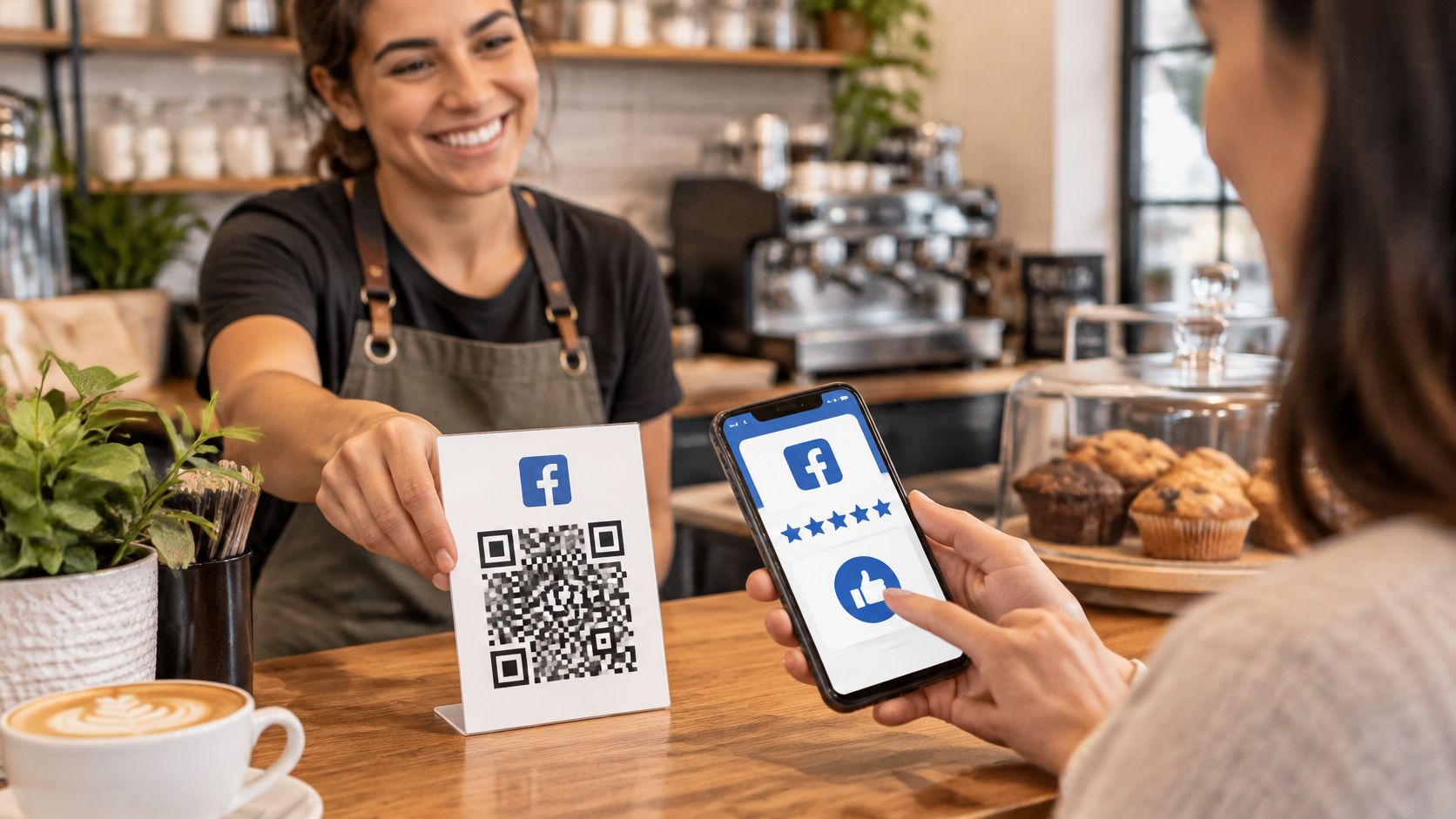
The last rental bike is back, the helmets need cleaning, and another guest is heading for the door. At a restaurant, the same moment comes when the bill is paid. Guests leave with a clear memory of the visit, but no obvious way to share it.
For owners wondering how to get Facebook reviews, the practical answer is a reliable handover routine, not a bigger marketing campaign. Give every guest a clear invitation after the service ends. Make the destination easy to open. Then leave the answer entirely to them.
What Facebook Recommendations Are Now
A recommendation works as a public yes or no on the business Page. Facebook renamed its Page review system Recommendations on August 6, 2018, as explained in Direct Online Marketing's overview of the change. The current action asks whether someone recommends the business; the older system asked them to pick a star score.
A guest chooses Yes or No. They can add written feedback, photos or tags, and choose the audience for the post. Facebook expects feedback based on personal experience, but it does not verify whether the person bought or used the service.
Facebook recommendations compared with star ratings
| Element | Facebook recommendation | Older star rating |
|---|---|---|
| Main question | Do you recommend this business? Yes or No | A star score |
| Written text | Optional, adds detail | A star-only rating could stand alone |
| Photos and tags | May be added | Not part of the star score |
| Who sees it | The guest chooses the audience | The Page displayed the score |
| Request wording | Ask for an honest recommendation | Do not ask for a specific score |
Reviews matter because customers use them when deciding where to spend. In a 2016 Pew Research Center survey, 82% of U.S. adults said they read online customer ratings or reviews at least sometimes before purchasing an item for the first time, including 40% who always or almost always did, according to Pew's online reviews report.
Treat that as context, not a forecast for one rental counter or restaurant. The workable lesson is steady coverage: use the same route for every guest, keep the wording neutral, and leave the answer with the guest.
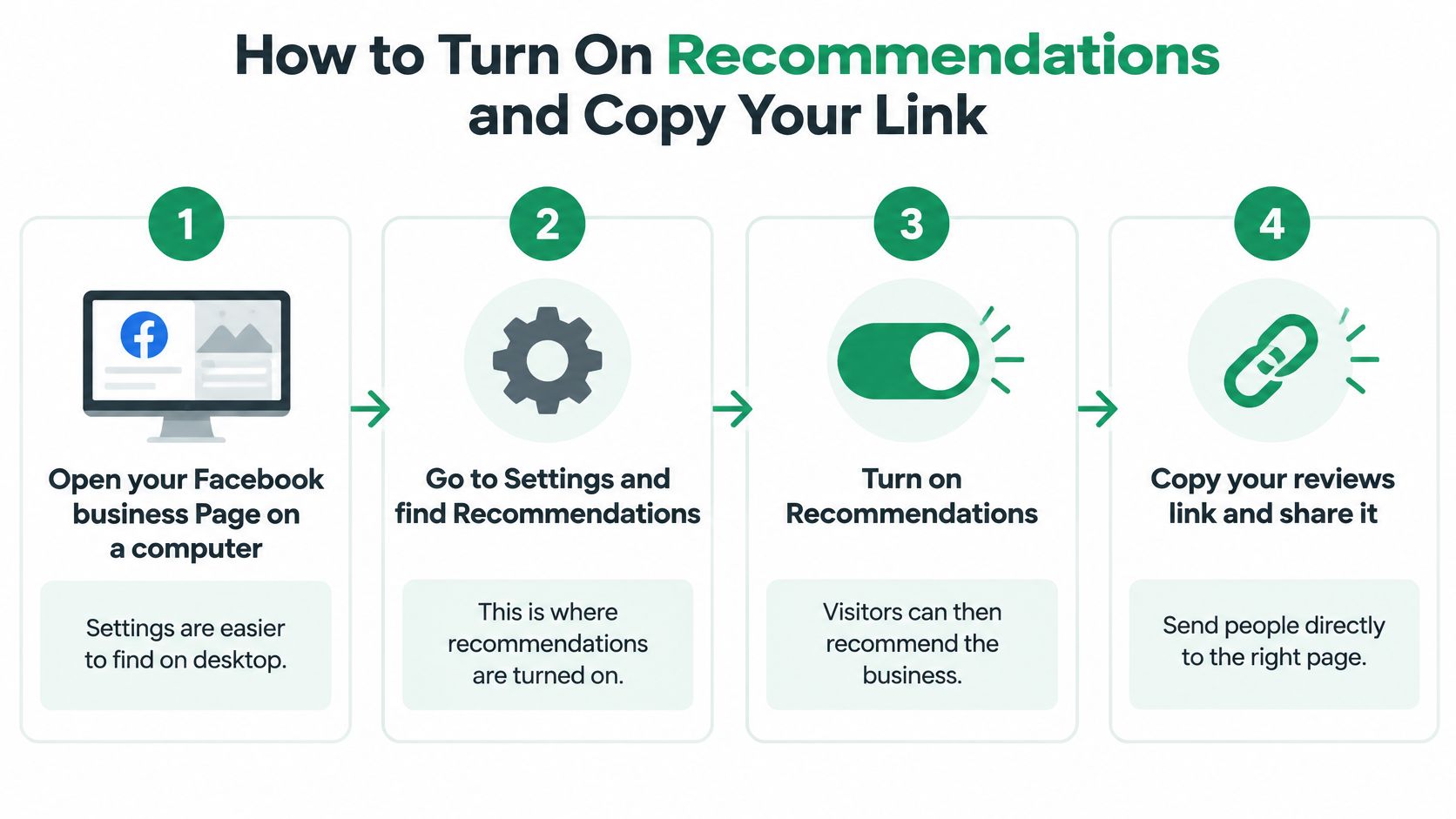
How to Turn On Recommendations and Copy Your Link
A business Page that looks complete to its manager may still confuse a visitor. Before printing cards or changing booking messages, an owner should check the recommendation setting and the customer-facing route.
Facebook's business guidance tells service businesses and restaurants to turn on Recommendations so customers can review them. Menu labels can change, so the setting matters more than a memorized sequence of clicks.
Set up the destination before sharing it
Open the business Page on a computer. Find Settings and look for Recommendations or the controls for the Reviews area. Desktop is easier for checking settings; the common mistake is editing a personal profile instead of the business Page.
Turn Recommendations on and save the change. This enables customer recommendations where the feature is available. Don't assume opening the setting also saves it.
Check the Page from a guest's position. Open it on a logged-out phone, then ask someone using another Facebook account to check the recommendation form. A logged-out check reveals access barriers, but completing the form may require signing in.
Copy the direct Reviews destination. Open the Page's Reviews area and copy its address, rather than taking the business homepage address. Reopen the copied address in a fresh browser tab to catch accidental manager-only or unrelated destinations.
Save the tested address in working materials. Add it to a note, receipt template and post-visit booking message. Retest the saved versions the next morning, because copying an old template can reintroduce the wrong address.
Manual links or a shared review page
Doing this by hand is free and works just as well when the destination is correct. A business that only wants Facebook recommendations may not need an extra landing page.
HolaQR provides QR code links for Google reviews, TripAdvisor reviews and Facebook recommendations. Each page has direct review buttons for those platforms, with a tap opening the review window instead of a profile page. The trade-off is clear: a shared page offers platform choice, while a direct Facebook address removes that choice step.
The expected Facebook sequence is: open the business Page, select Reviews if needed, choose Yes or No, select the audience, add a recommendation if desired, and post. A successful test reaches the Reviews area without searching for the business. It doesn't guarantee that Facebook will skip its own sign-in or audience controls.
Make Scanning Easy With a QR Code
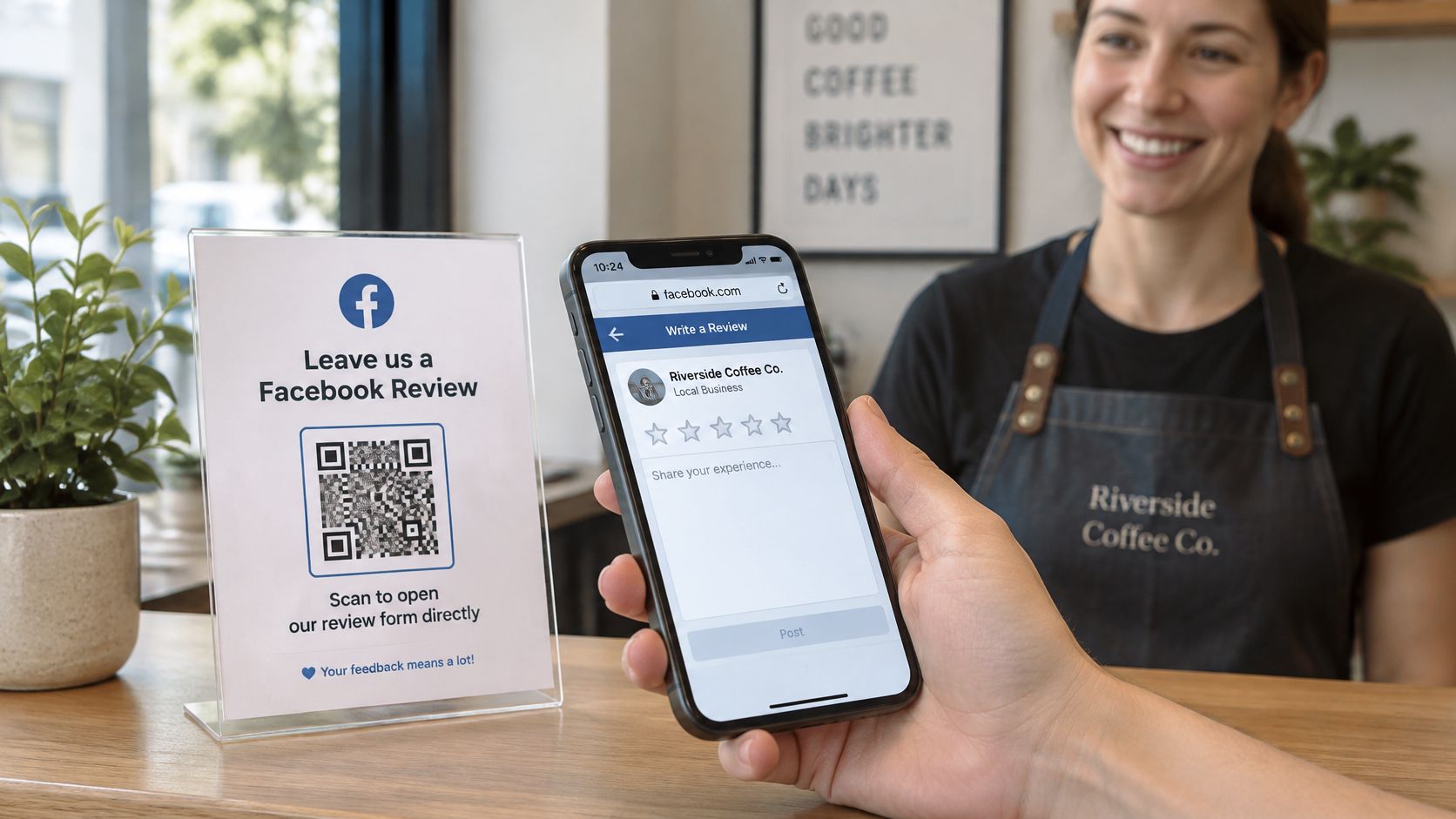
Test the destination before choosing the card design. A QR code pointing to the business homepage still leaves guests hunting for the Reviews area. A direct Facebook code should reach that area; a shared review-page code should make the Facebook button obvious.
Common Ninja's guide to getting Facebook reviews discusses QR codes alongside messages and printed prompts. The practical distinction is whether the guest reaches the recommendation interface, not whether the code looks attractive.
Match placement to the guest's pause
- Rental counter: Put a card beside the equipment return point, away from paperwork that might cover it.
- Equipment tag: Keep the code flat, readable and protected from wear. A curved or damaged tag needs testing in place.
- Restaurant table or receipt: Place the invitation where payment happens, without making scanning feel like part of settling the bill.
- Holiday-home welcome folder: Keep the card beside departure information, where guests will find it after their stay.
Use the same code across these materials so there's a single destination to maintain. A short printed address is a useful alternative for guests whose cameras won't scan it.
HolaQR is a free QR review page that displays in each guest's language, with support for 30 languages. Its codes never expire, and print-ready sticker, flyer and table-card files are included. Guests scan with their phone camera and open the page in a browser without an app or account; posting a recommendation still requires signing in to Facebook.
Test the printed version
Someone unfamiliar with the business should scan the actual card without searching for the Page. They should be able to identify the destination and reach the recommendation area without instructions from staff.
The Facebook review QR code guide provides a focused setup reference. After any Page change, repeat the scan test.
Practical rule: A permanent code still needs a working destination. Code expiry and a broken Facebook route are different problems.
An SMS or email link is often simpler for guests who have already left. Neither channel is better; the useful one reaches the guest at a suitable moment.
Ask Honestly Without Rewards or Filtering
Asking for a review is allowed. Problems start when an owner attaches a reward, controls who gets asked, or tries to dictate the answer.
Google Maps' contribution policy requires genuine, unbiased experiences. It bans payment, discounts, free goods and free services in exchange for a review, a review change or removal of a negative review. Google treats incentivized or biased reviews as rating manipulation and may remove them.
Tripadvisor's guidance on incentivized reviews also allows requests but prohibits incentives. Examples include a free drink, hotel Wi-Fi, a bill discount, a room upgrade, late checkout, raffle entry and employee bonuses based on review counts. Violating reviews can be removed, and the property's ranking can be temporarily downgraded.
Review rules by platform
| Platform | Can you ask guests | Incentives allowed | If a review breaks the rules |
|---|---|---|---|
| Google Maps | Yes, for a genuine experience | No, payment and discounts banned | May be removed as rating manipulation |
| Tripadvisor | Yes | No, every incentive banned | May be removed, and ranking may be temporarily downgraded |
| Yes, after service with a direct link | Don't promise a reward for a positive rating | May be removed if it breaks Community Standards |
Facebook's expectation is personal experience, not a script written by the owner. Since the platform doesn't verify the transaction, the business should connect invitations to completed rentals, meals, tours or stays through its own records.
Keep the invitation separate from the answer
A neutral message can be as simple as this:
An honest recommendation of the visit would be appreciated. The Facebook recommendation button is available below.
Staff shouldn't write the recommendation, choose Yes for the guest, or ask to inspect the screen. Employees and Page managers shouldn't be recruited to create customer recommendations.
The same standard applies when something went wrong. Offering a private contact route is sensible service recovery. Sending only dissatisfied guests to that route while directing satisfied guests to public reviews is review filtering, not a neutral invitation.
HolaQR sends every guest to the same review window, never offers rewards and never chooses which guests are asked. The owner still controls distribution, so staff need a consistent rule: every genuine guest receives the same opportunity, with nothing attached.
Buying recommendations, withholding invitations from unhappy guests and hiding criticism aren't shortcuts worth taking. They undermine the purpose of the feedback and create platform-policy risk.
When and How to Ask Every Guest
| Business | Best moment | Channel |
|---|---|---|
| Bike or boat rental | When the kit is handed back | QR card on the counter or phone screen |
| Tour or activity | Within about a day of the tour | Short message naming the tour date |
| Restaurant or café | When the bill is paid | Table card or receipt |
| Hotel, B&B or holiday home | At check-out | Welcome-folder card and a follow-up message |
| Salon or spa | At the end of the appointment | Printed card at the front desk |
Finish the service before making the request. A guest collecting a boat hasn't yet experienced the rental, and someone checking into a holiday home hasn't completed the stay.
A phone already in hand makes a practical opening at payment or return. A cheerful handover can be a natural moment, but happiness must never become an eligibility test. The same invitation belongs in an awkward handover too.
Save a neutral message template
A useful request thanks the guest, identifies the service date and asks for feedback based on that experience. For an international visitor, the date and service name also distinguish the message from an unrelated promotion.
A rental template could read:
Thanks for the bike rental on [service date]. An honest Facebook recommendation based on that visit would be appreciated: [direct Reviews address].
The bracketed fields are replaced before sending. Staff should use a consent-based contact process and respect a guest who declines or doesn't respond. The guide to asking customers for Google reviews offers related wording ideas, but the Facebook destination should remain explicit.
Facebook's recommendation guidance says recommendations should focus on the product or service and reflect personal experience. Linking requests to completed bookings helps the owner invite actual guests rather than an unrelated audience.
Track delivery, not just sending
A simple spreadsheet can separate operational problems from a lack of interest:
- Requests sent and delivered: Keep failed deliveries separate from messages that reached guests.
- Destination visits: Record measured visits where available, without assuming Facebook exposes every visitor.
- Recommendations posted: Note visible new recommendations, without pretending every post can be matched to a particular request.
- Request conversion: Divide attributable recommendations by delivered requests.
- Time until posting: Record the median delay when reliable matching is possible.
Use a distinct campaign label or measurable link for each channel. A printed counter card and an email should not share an indistinguishable tracking label if the owner wants to compare them.
There isn't a verified Facebook-specific request-to-review benchmark to promise here. Audience choices and incomplete attribution can also limit the count. Review the sheet monthly, then adjust timing or channel rather than making the request more flattering or selective.
Fix a Missing Tab and Weak Responses
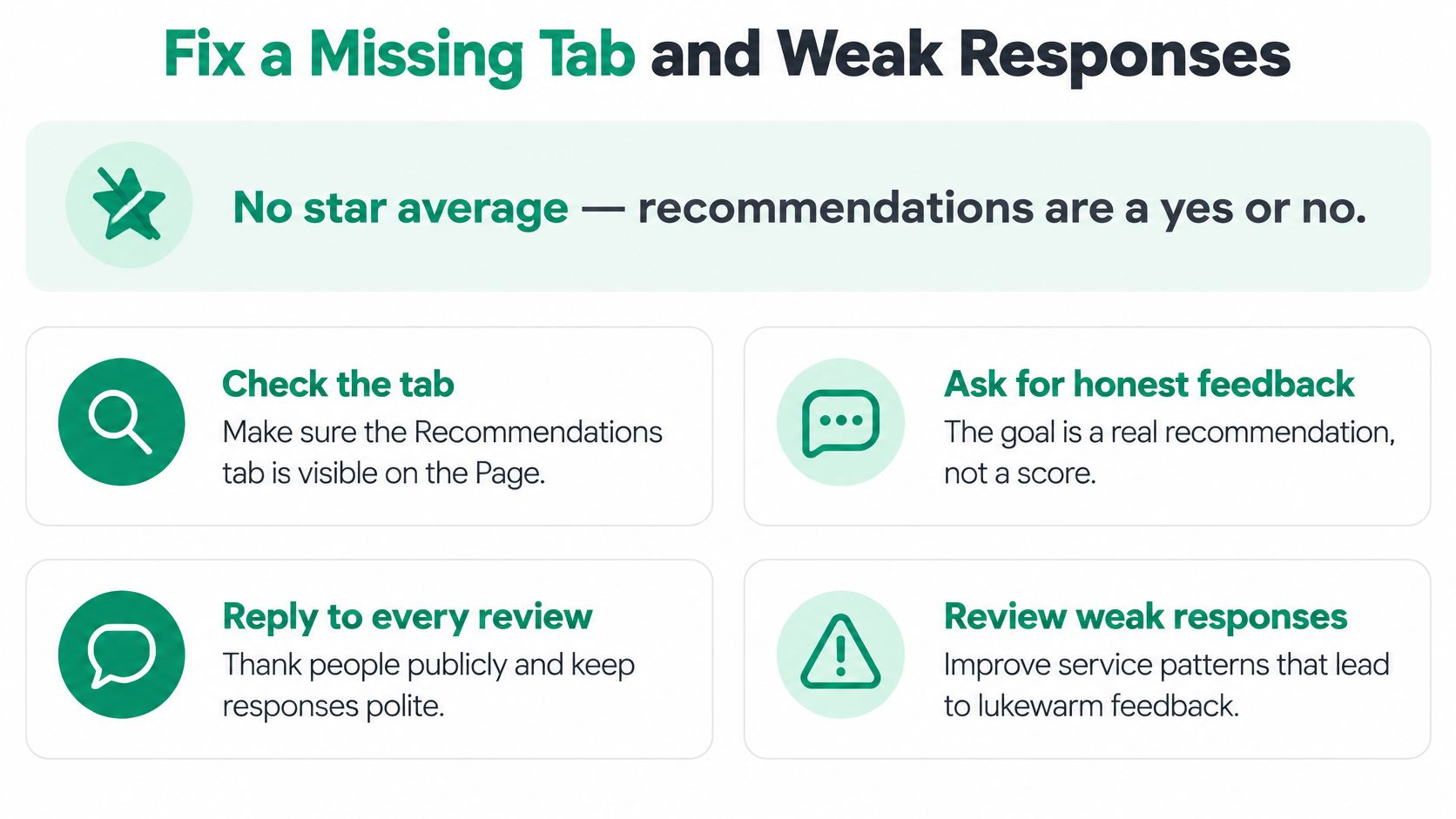
An owner looking for a new star score can mistake the recommendation interface for a broken review system. The desired action is an honest recommendation, not a specified score. Before changing the campaign, check what a visitor can open.
OneLocal's missing Reviews tab guide addresses a practical complication: Facebook changes Page layouts and settings, and instructions can differ between Page experiences. Repeatedly following an old screenshot won't resolve a mismatched interface.
Check the route in a fixed order
- Confirm the setting: Reopen Recommendations controls and verify that the change was saved on the correct Page.
- Inspect public access: Use a logged-out phone to check visibility, then a separate signed-in account to test the form.
- Open the distributed address: Test the exact destination printed on the card or saved in the message, not a freshly found version.
- Allow a recheck: Return the next day before deciding a recent change has failed. This is a troubleshooting interval, not a promise about Facebook's processing time.
Separate low volume from poor feedback
Few responses may mean the invitation is easy to miss. Staff can use the same handover moment, display a legible card and send a brief post-visit follow-up through an agreed contact channel. More pressure won't fix a confusing destination.
Lukewarm recommendations need a different response. Repeated complaints about late departures, unclear deposits or slow food point to operating decisions, not message wording. The customer service reviews guide is relevant when the problem is the experience rather than access to the form.
Facebook's reporting guidance allows reporting genuine policy violations, but star-only ratings can't be reported through that process. Disagreement with a guest isn't itself a policy violation, and the owner shouldn't rewrite their account or condition help on changing it.
A private conversation should help resolve the service problem, not become a bargain for removing criticism.
A calm response to a rental complaint
Say a boat-rental guest posts that the departure was delayed and the explanation was poor. The owner reads it the next day and responds briefly:
The delayed departure and unclear explanation fell short of the service expected. The team is checking the handover process. A private message with the booking date would help identify what happened.
A WhatsApp contact can support that conversation without publishing booking details. The response acknowledges the issue, offers a route to investigate and asks for no change to the recommendation. The owner should then check the departure records and correct the underlying handover problem.
Start Collecting Honest Recommendations This Week
Day one is for checking access. The owner enables Recommendations, inspects the Page from a visitor's position and saves the direct Reviews destination. There's little value in distributing an invitation until that route works.
Day two is for making the invitation visible. A QR code on the owner's phone screen is enough to begin; printing can wait. Creating a QR page can start without opening an account, so setup needn't become another administration project.
Keep the first week manageable
- Choose the handover moment: Assign the invitation to payment, equipment return, tour completion or checkout.
- Save the message: Keep the service date editable and the request neutral.
- Start the sheet: Record delivery and observable results from the beginning.
- Assign feedback checks: Make someone responsible for reading recommendations and handling service issues calmly.
Negative feedback should receive attention promptly, with a brief response where appropriate. The guest shouldn't be asked to revise their account as a condition of assistance.
After an initial month, the owner can change a single practical element, such as card placement or message timing. Changing everything together makes it harder to identify what helped. A clean, repeatable routine is more useful than a complicated campaign that staff abandon during a busy shift.
Start with the next handover
The immediate task is small: prepare a working destination before the next guest leaves. A phone-screen code or a tested address in the existing departure message is enough.
For owners choosing a shared review page, HolaQR provides a free page, QR code and printable files, with a small made with HolaQR line at the bottom. Create the page, test its Facebook button, and display the code at the next completed handover. Invite every guest to share an honest experience, then leave the decision and the words to them.